Orbit.PRO — analysis, cleanup and tweaks for Mac

Understands what's going on with your Mac, cleans only what can be restored, and explains every step. The assistant answers from your own machine's data — not generic advice.

or via Homebrew: brew install --cask coderok-ru/orbit-pro/orbit-pro

macOS 14+Apple SiliconDeveloper ID signedNotarized by AppleAssistant free for 14 days10 interface languages
Orbit.PRO — OverviewOrbit.PRO — Overview

What it solves

Six situations every Mac owner knows — and what Orbit.PRO does about them.

1

Disk is full and nobody knows where the space went

Disk map in seconds, large files, duplicates and similar photos, “What is this?” on any folder with an explanation of what happens if you delete it. The Changes feed shows which folder grew and by how much.

2

Cleaning is scary: what if I delete something important

First a plan with sizes and an explanation of every item. Everything removed stays in quarantine for 7 days and comes back with one click. Red rules need confirmation; Apple system files are never touched.

3

The Mac is slow or noisy, and the reason is unclear

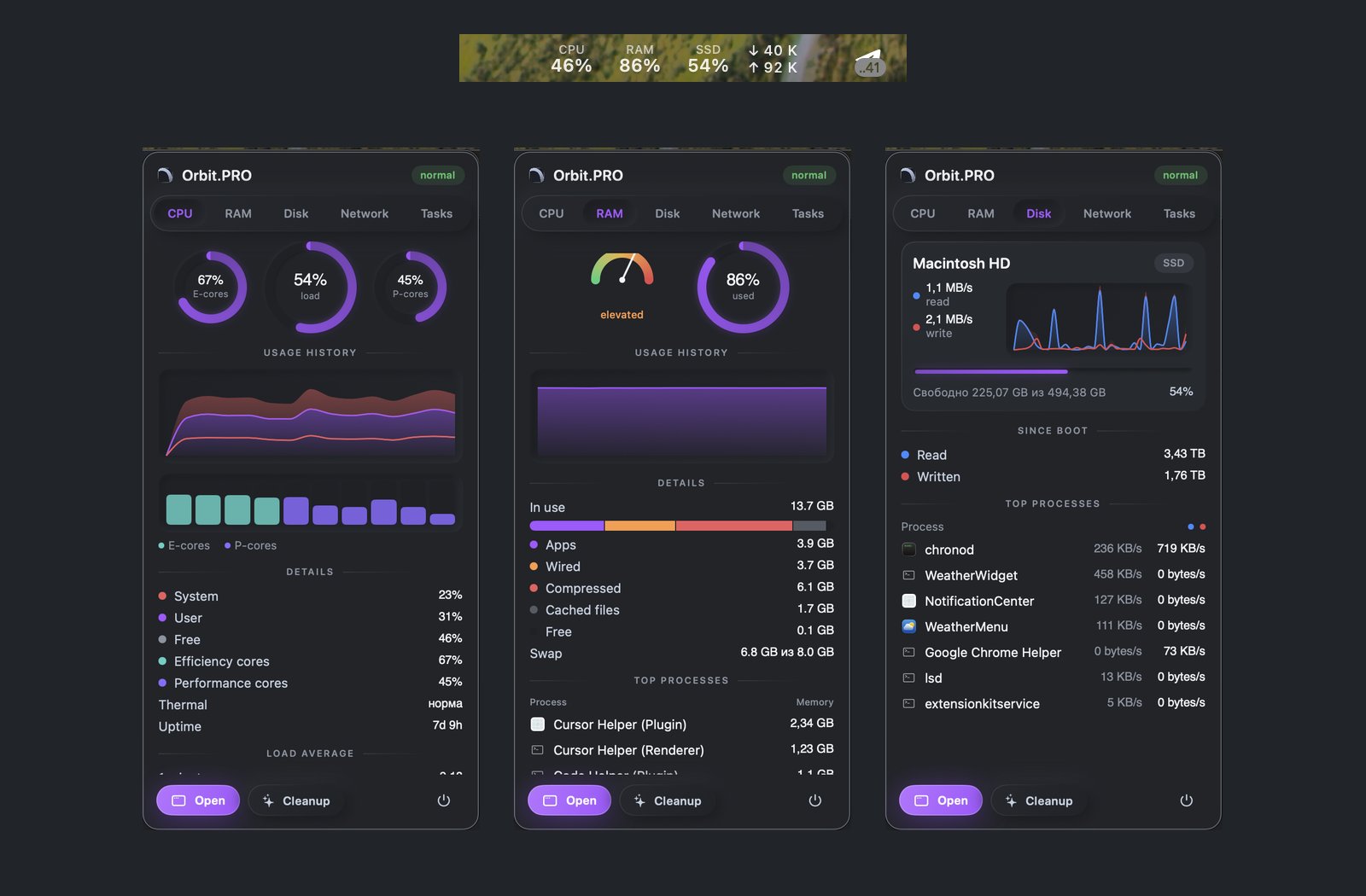
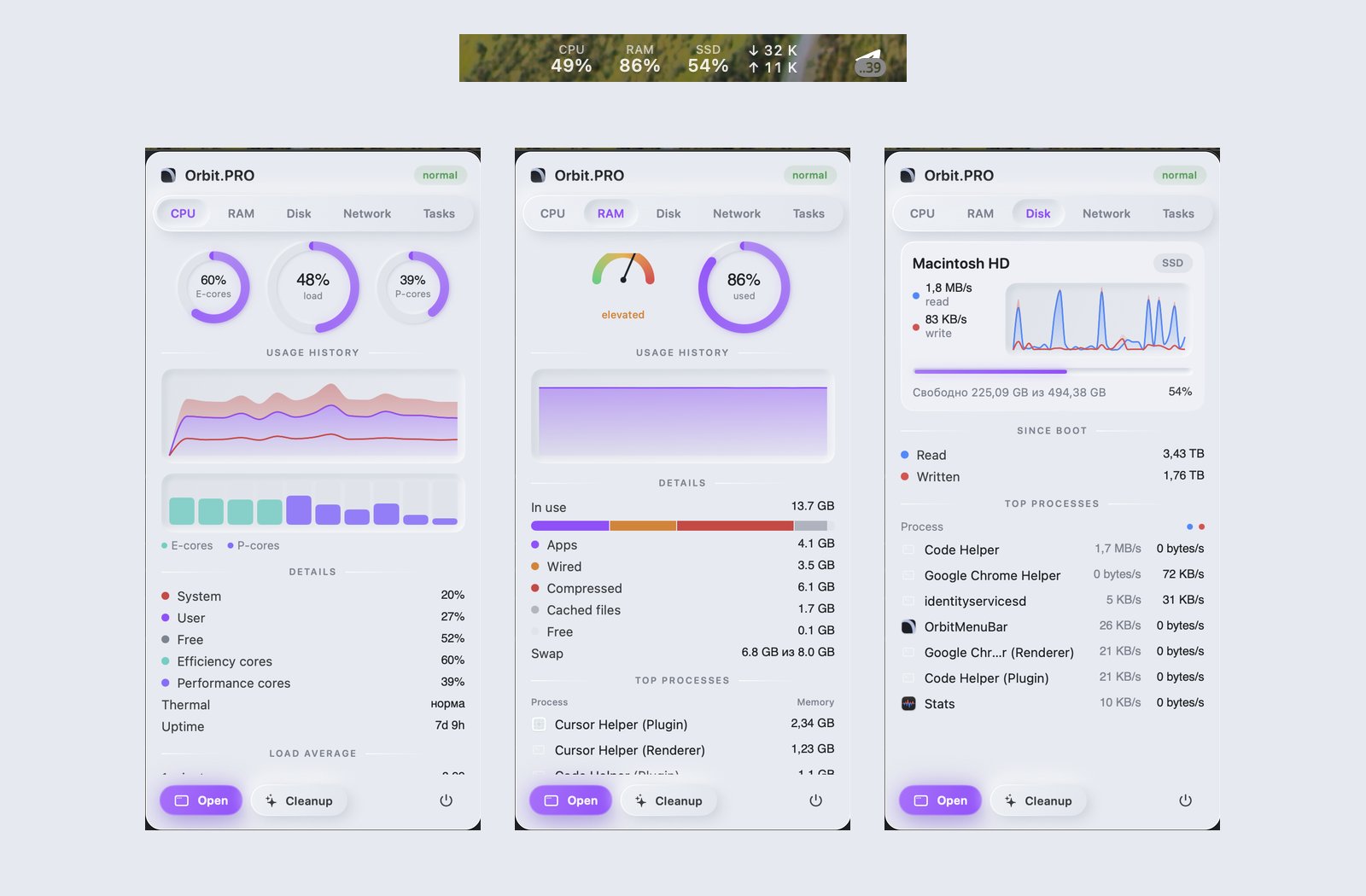
Live monitoring in the menu bar: a process hogging CPU, memory pressure, throttling, who sends traffic — a notification with an action. The assistant explains the cause from real processes and suggests what to close.

4

Is it time to replace the Mac?

A 0–100 score across nine areas (web, photo, 4K video, 3D, ML, development, music, design, streaming) with bottlenecks and a comparison to the current generation. A plain-language verdict: what to upgrade and what is fine as is.

5

Leftovers remain after uninstalling apps

The uninstaller finds leftovers by bundle id, vendor and Spotlight. The agent notices you dragged an app to the Trash and offers to remove Application Support, caches, preferences and LaunchAgents.

6

What runs in the background and who can use the camera

Startup items with publisher by signature and “who wakes the Mac”. TCC permission audit: camera, microphone, screen, full disk access. A daily fingerprint makes new agents and permissions visible immediately.

Features

Twelve sections. Each is a separate tool, and all of them work on the same data.

Overview

Your Mac's state on one screen

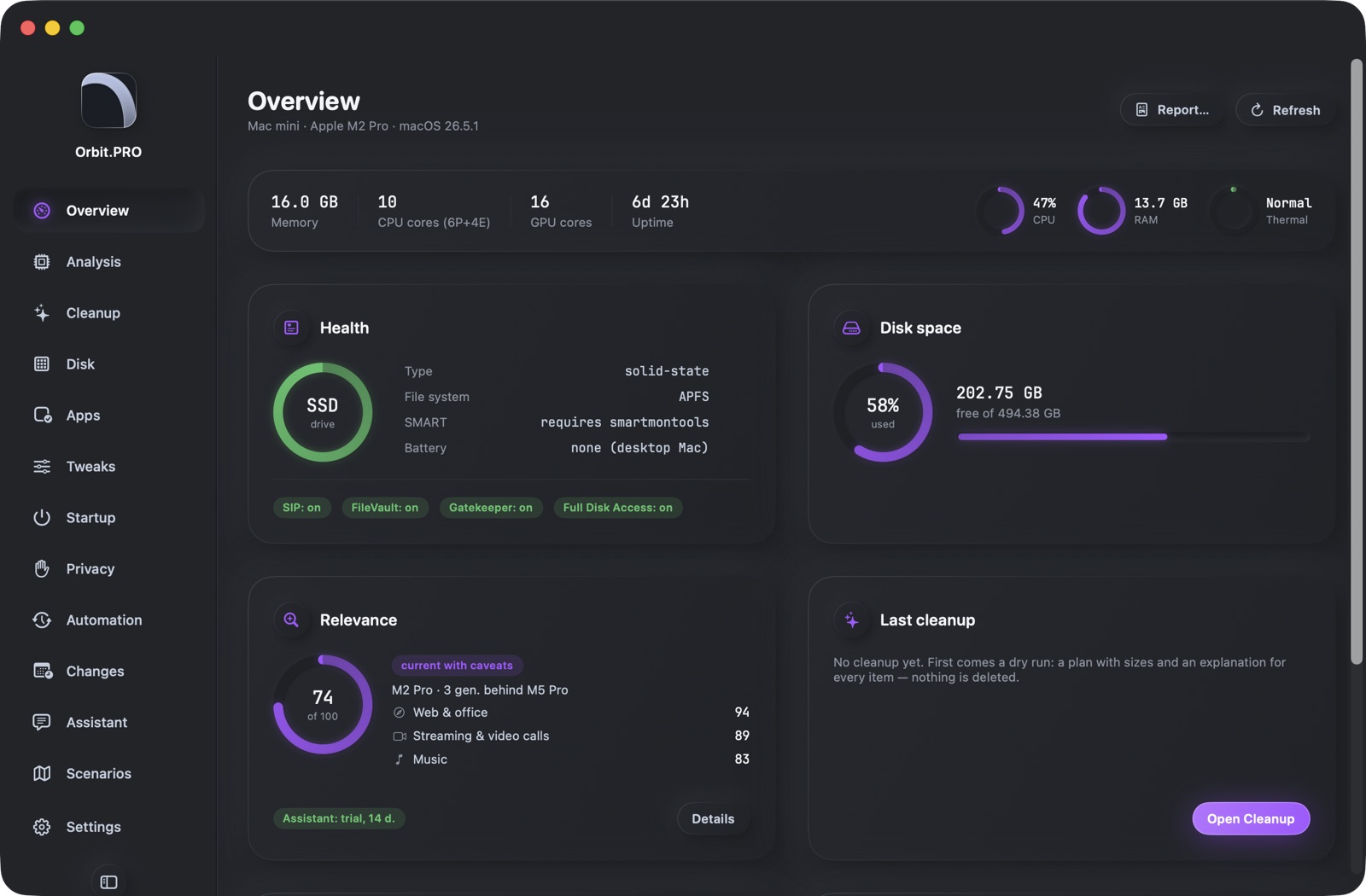
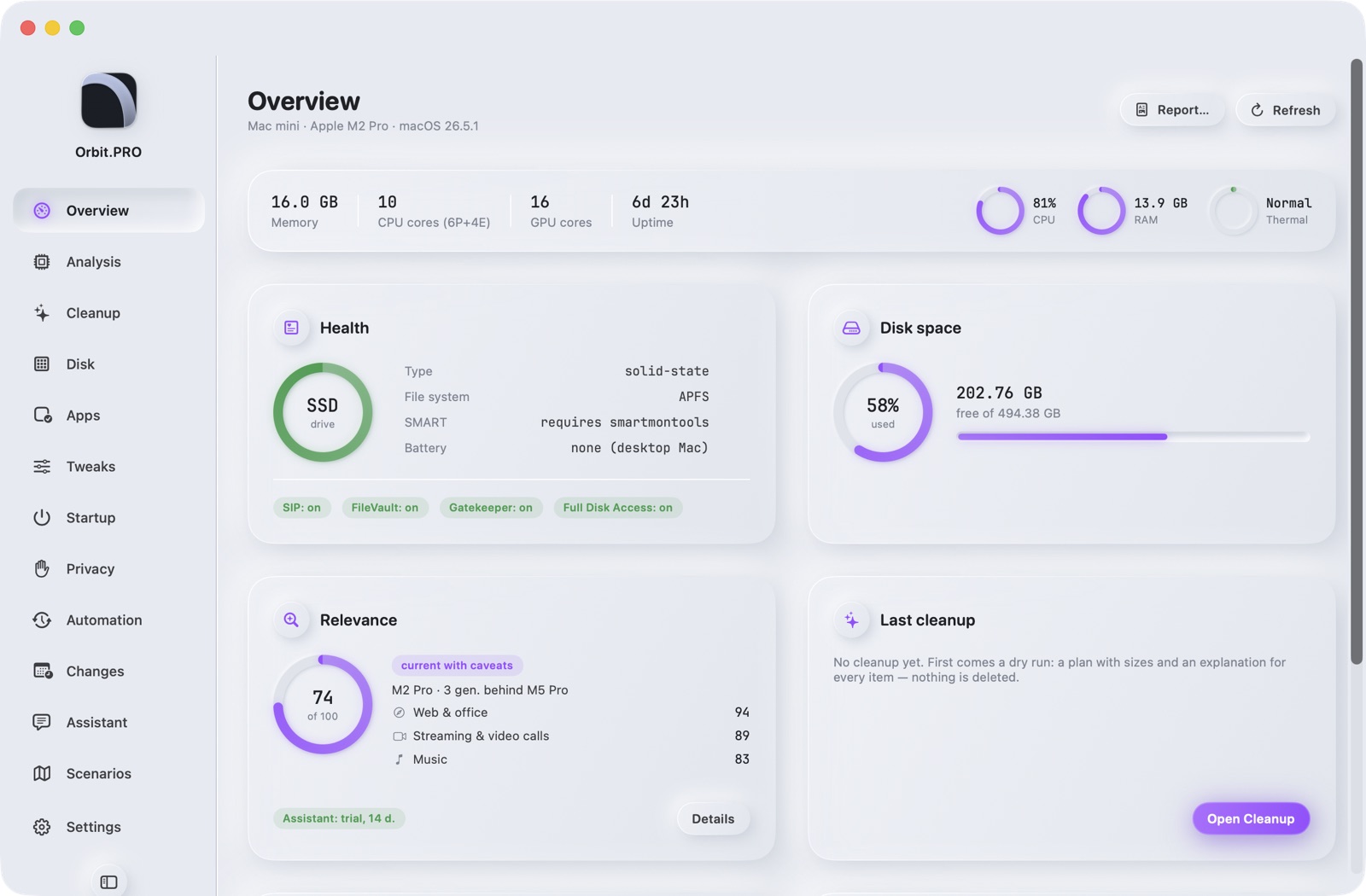
Specs, drive health, free space, SIP/FileVault/Gatekeeper, relevance, last cleanup, what changed and 30-day results. A Mac report with one click — HTML or PDF in the app's style.

  • Live CPU, RAM and thermal state
  • Battery and energy for laptops: health, cycles, who drains it
  • A report for selling the Mac or for an admin: serial masked
  • Notification Center widget
Screenshot of section «Overview» — Orbit.PROScreenshot of section «Overview» — Orbit.PRO
Analysis

Relevance by area and a verdict

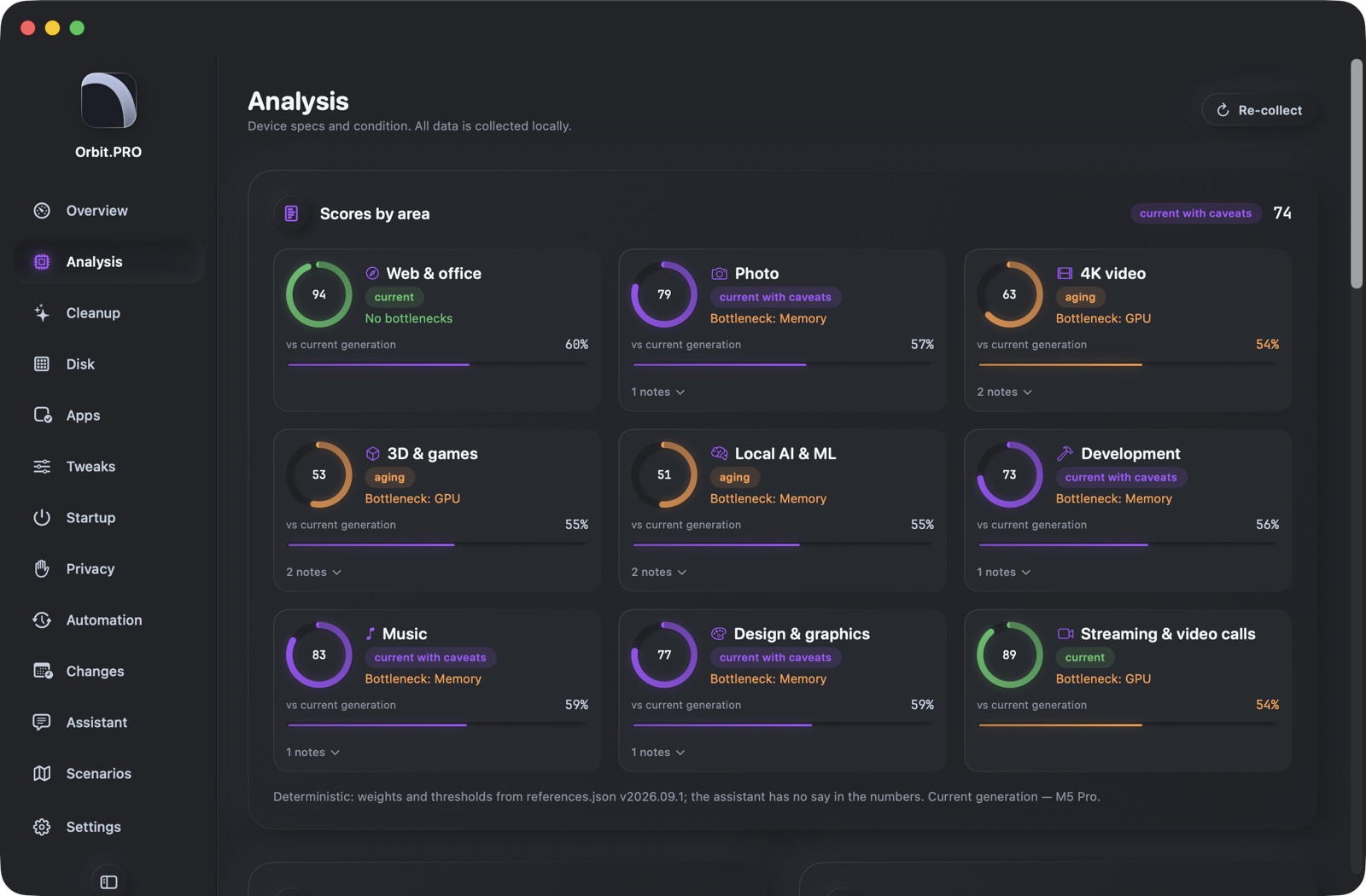
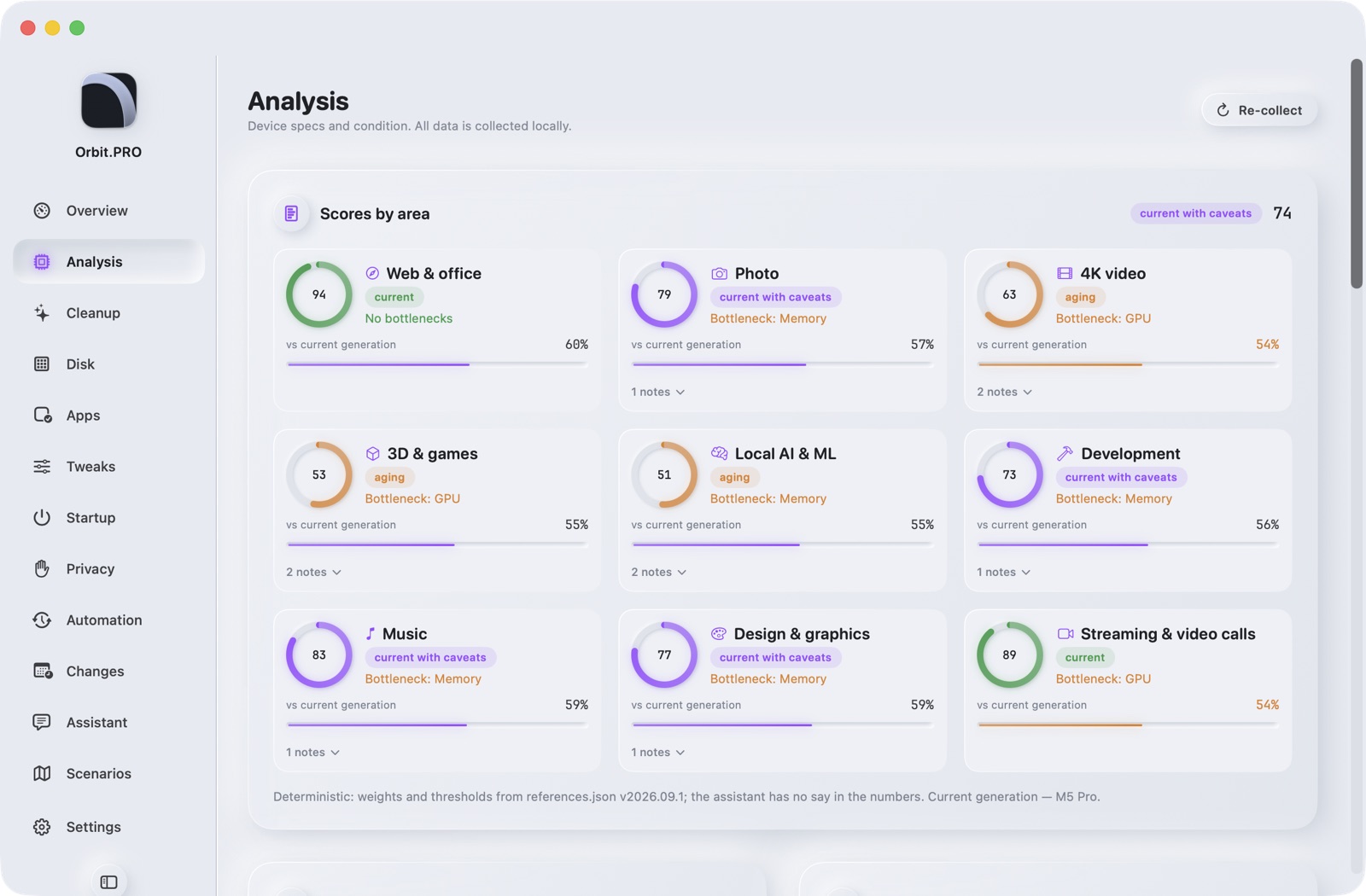
A deterministic 0–100 score across nine areas from open references (22 chips, 48 models). The bottleneck in each area, a comparison to the current generation, a micro-benchmark “today vs first run” — SSD degradation and throttling become visible.

  • Web & office, photo, 4K video, 3D & games, local AI, development, music, design, streaming
  • CPU/GPU/SSD/memory benchmark ≤ 40 s
  • Assistant verdict: upgrades and risks in plain language
  • Numbers are computed locally; the assistant never invents them
Screenshot of section «Analysis» — Orbit.PROScreenshot of section «Analysis» — Orbit.PRO
Cleanup

Dry-run, quarantine, undo

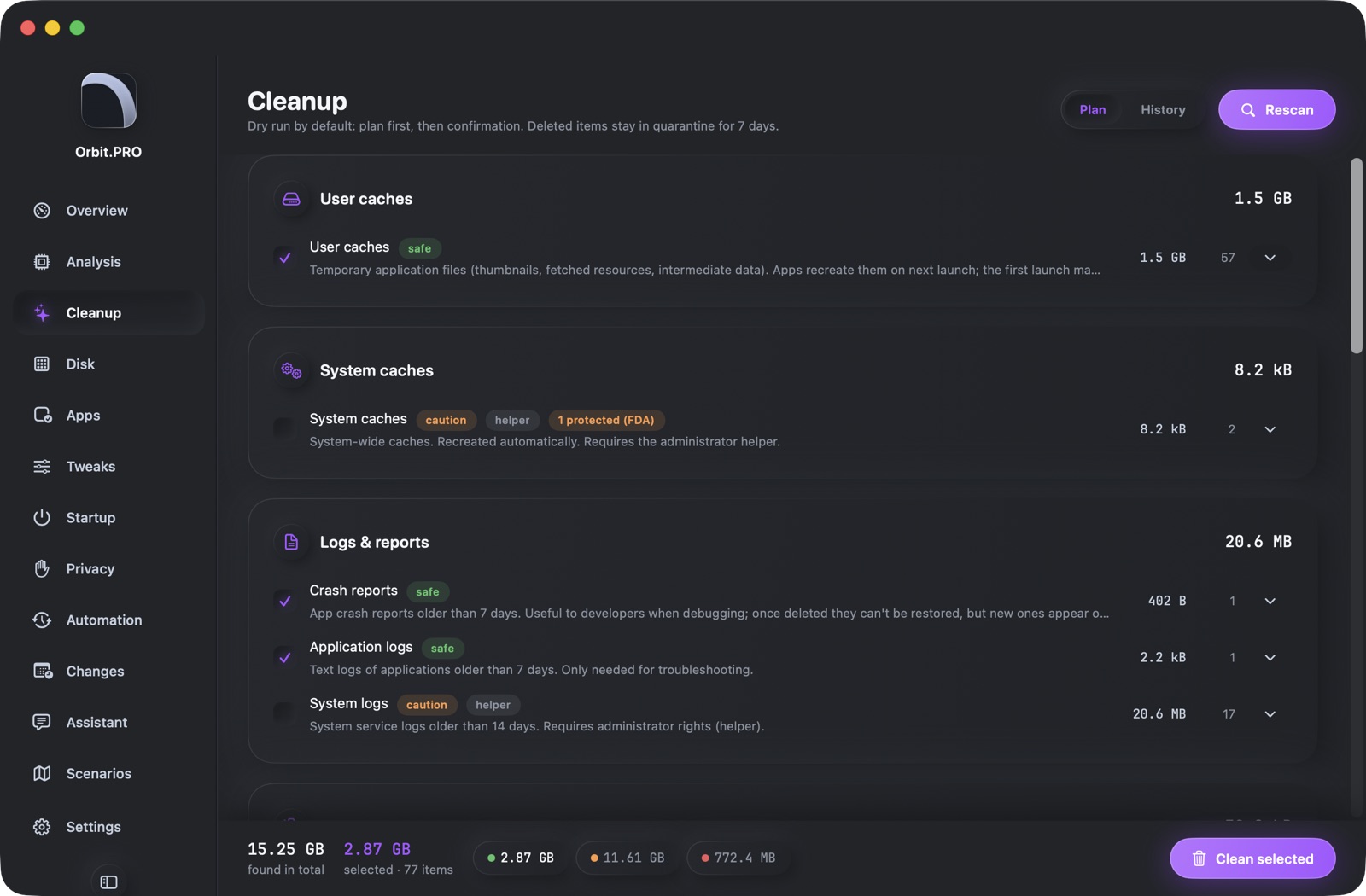
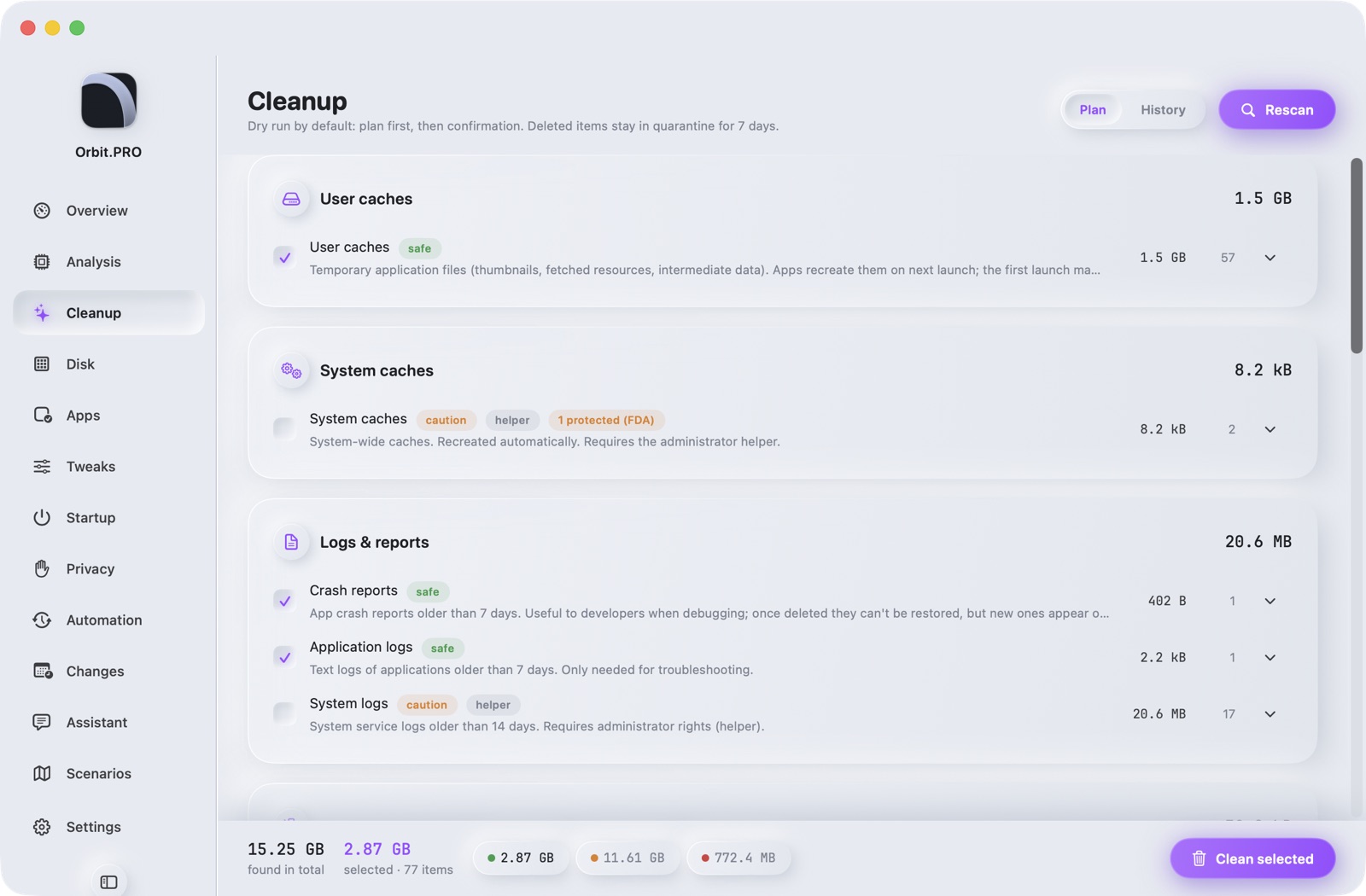
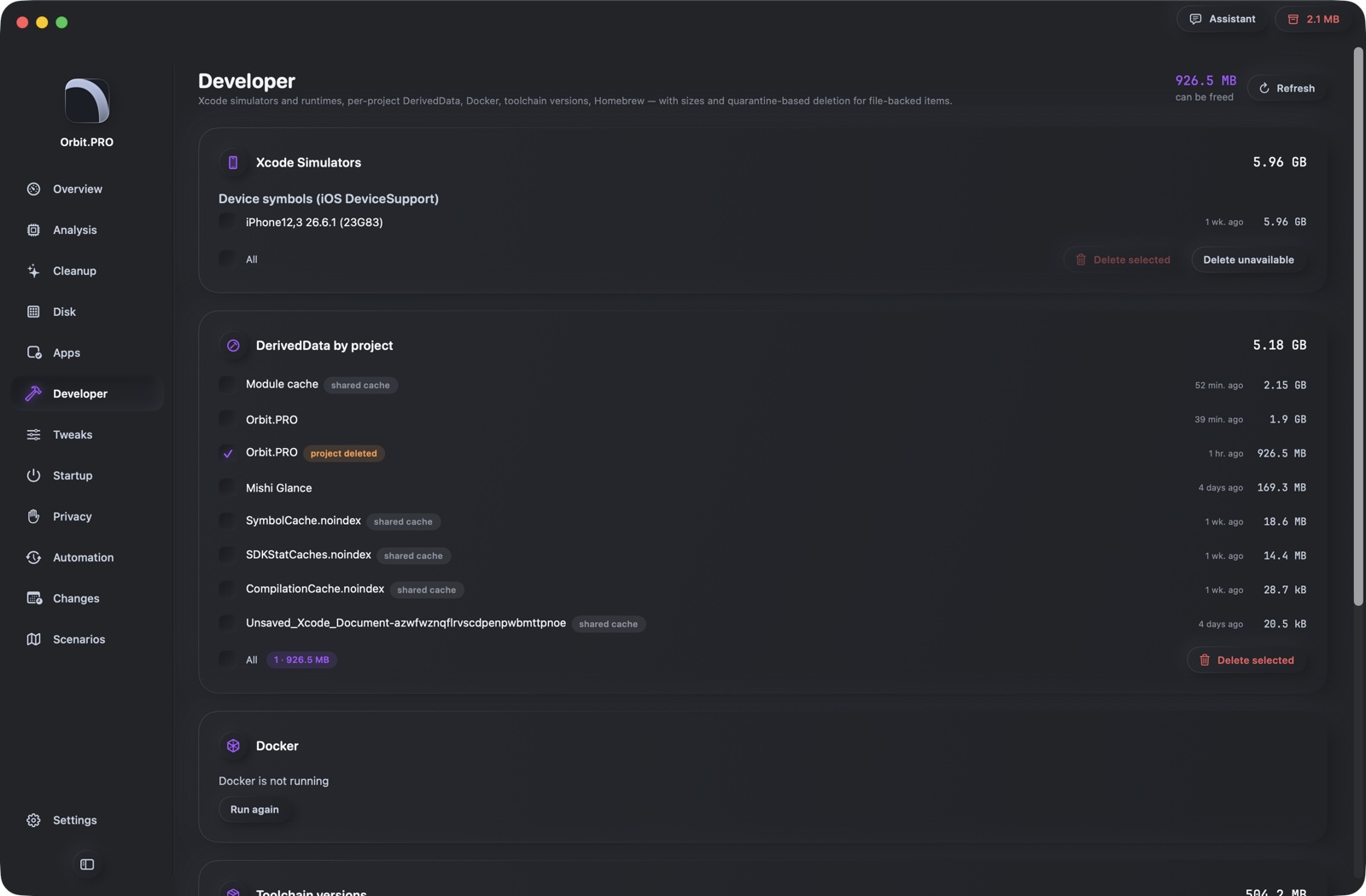
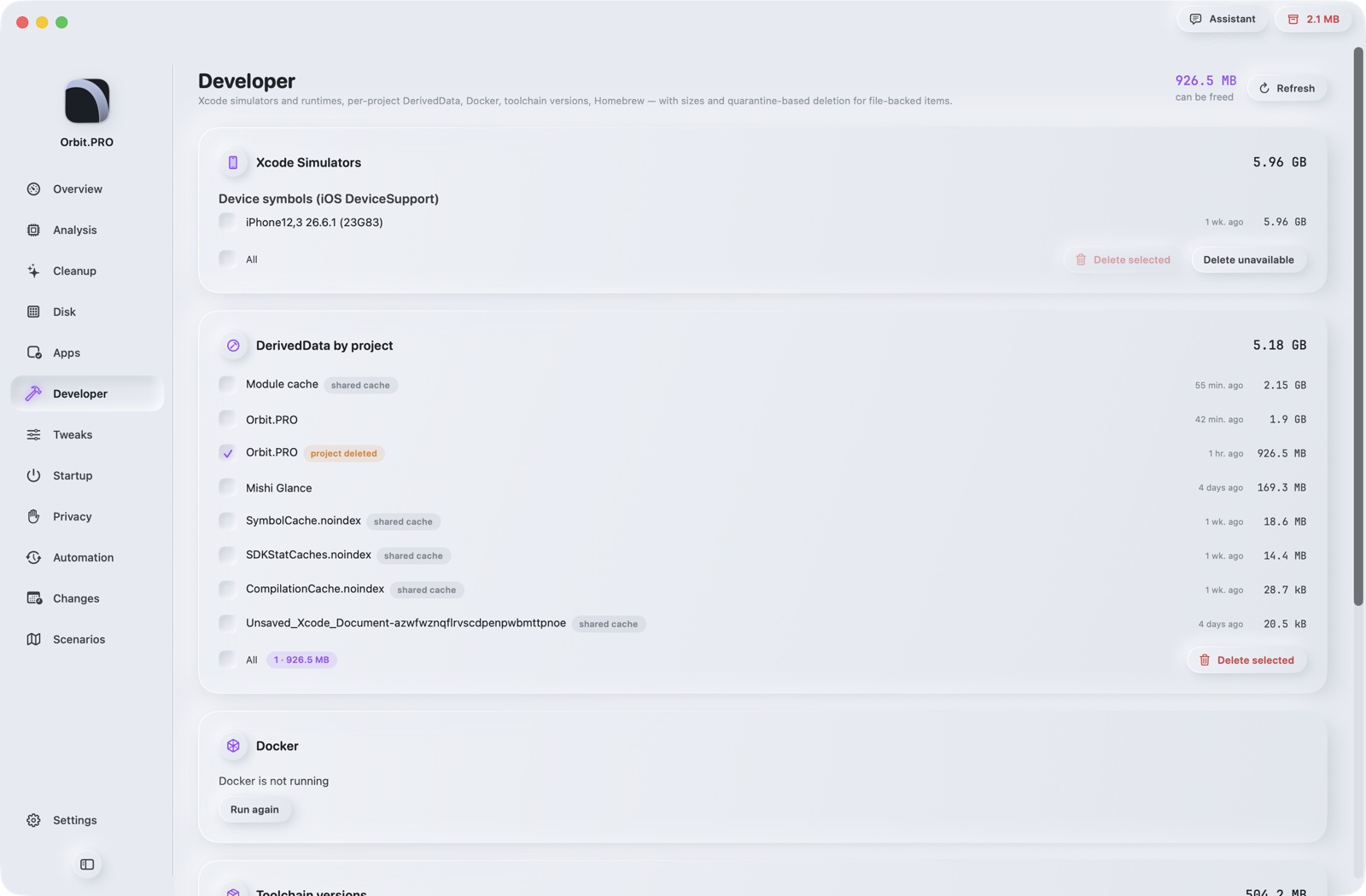
29 rules: user and system caches, logs, dev junk (Xcode, npm, Homebrew, Docker, simulators), installers, messengers and browsers, Time Machine snapshots, abandoned node_modules. Every rule explains what it is and what happens after removal.

  • A plan with sizes first — nothing is deleted
  • Green / yellow / red rules by risk
  • 7-day quarantine, one-click undo, history
  • Open YAML rules: read and extend
Screenshot of section «Cleanup» — Orbit.PROScreenshot of section «Cleanup» — Orbit.PRO
Disk

Disk map, large files, duplicates, similar photos

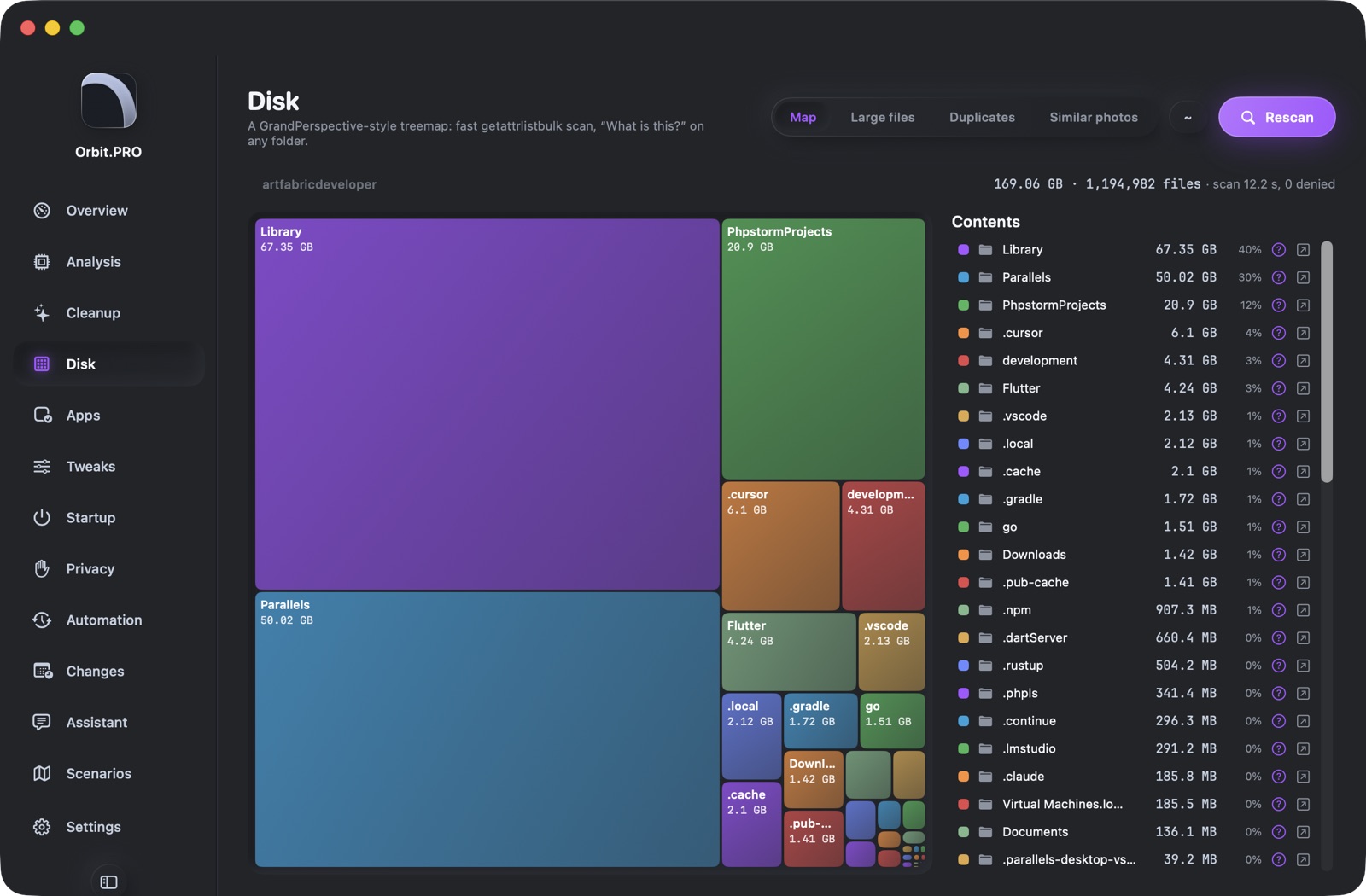
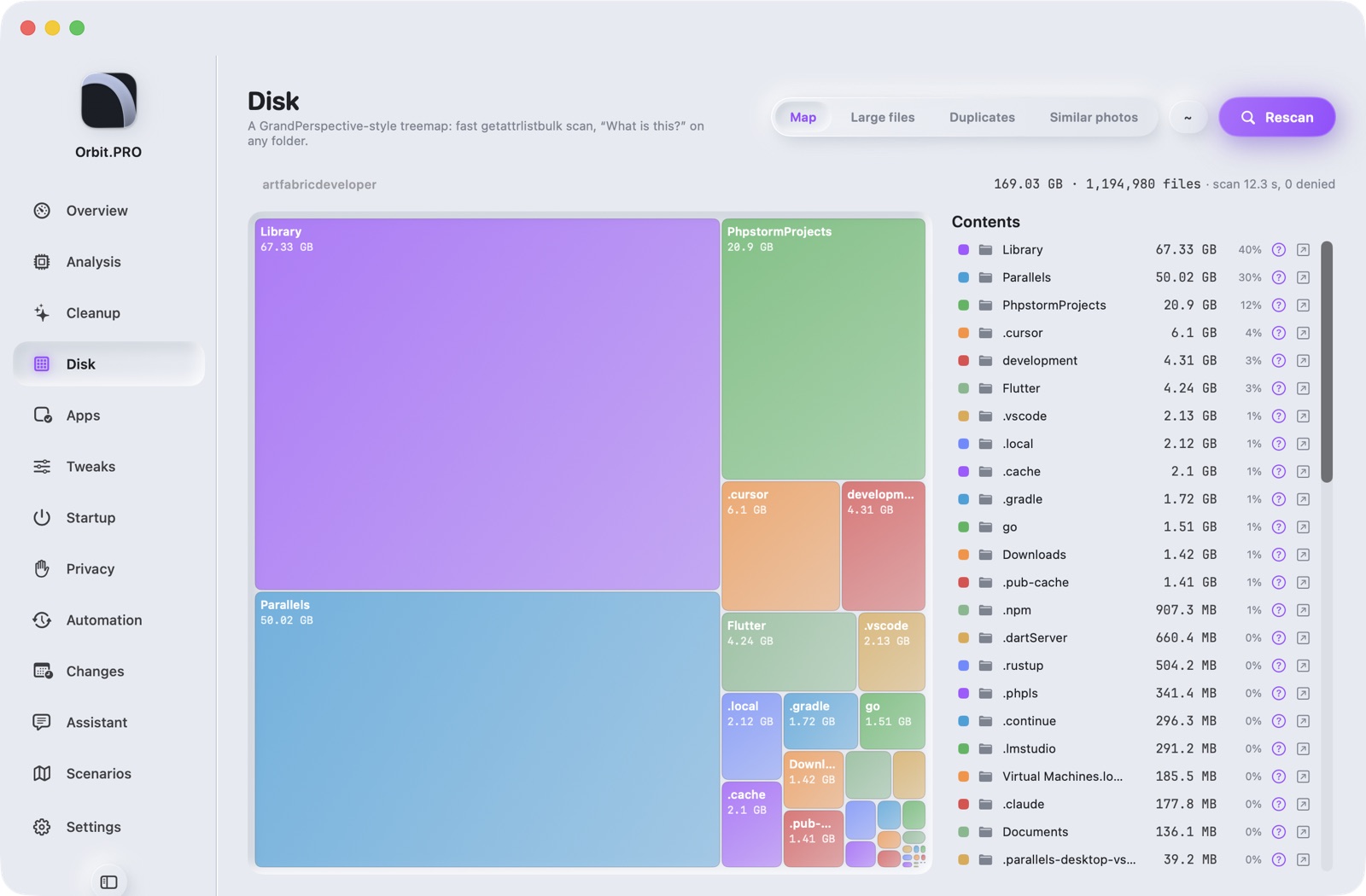
A treemap of the home folder in seconds (1.2M files ≈ 14 s). Large files, SHA-256 duplicates, similar photos by content (downsized copies, repeated exports), video duplicates. Files living only in iCloud don't count as used space.

  • “What is this?” — a base of 100 paths plus the assistant's explanation
  • Duplicates and similar files go to the Trash, the original stays
  • Scan via getattrlistbulk, no Spotlight indexing
Screenshot of section «Disk» — Orbit.PROScreenshot of section «Disk» — Orbit.PRO
Applications

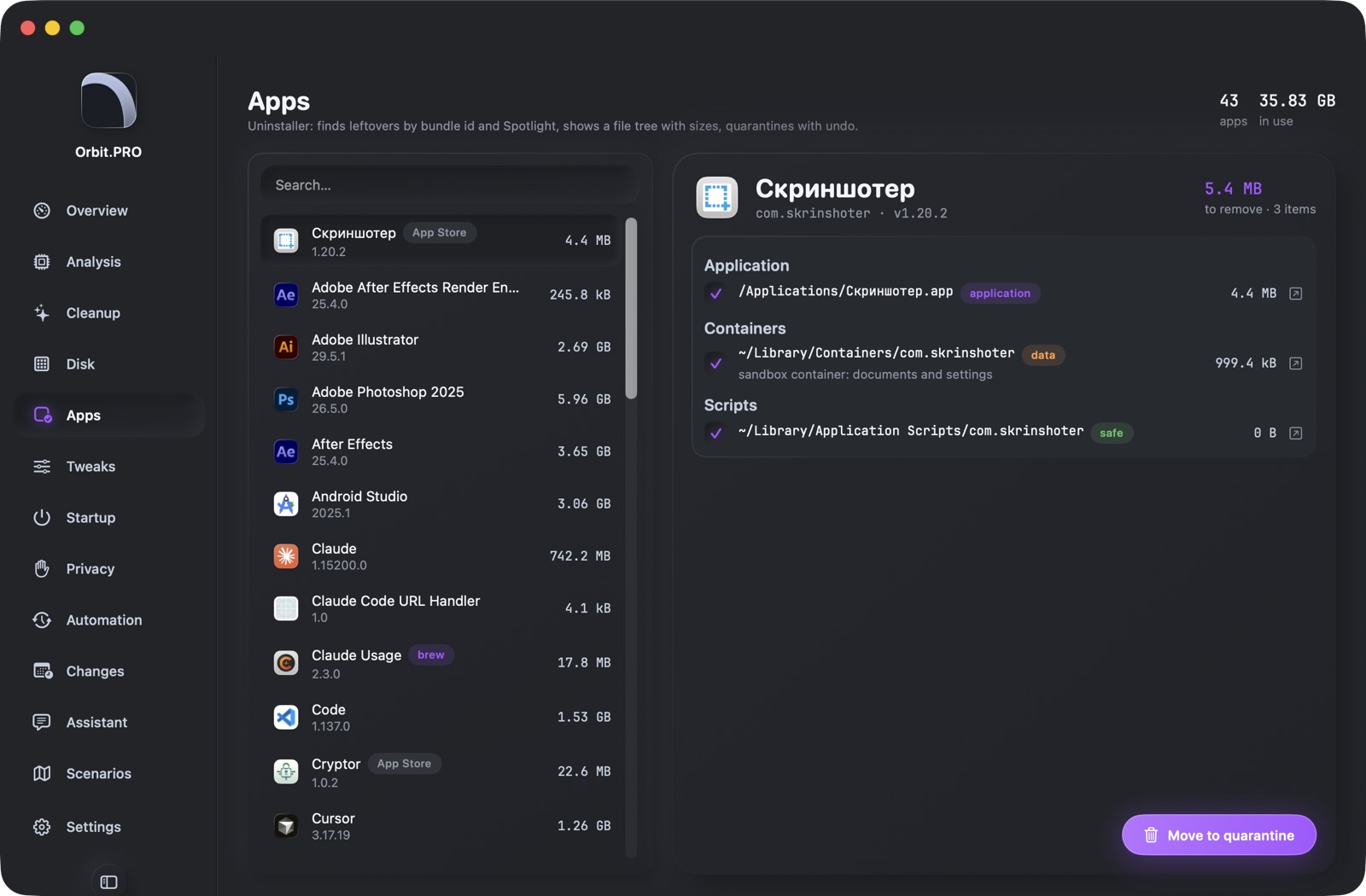
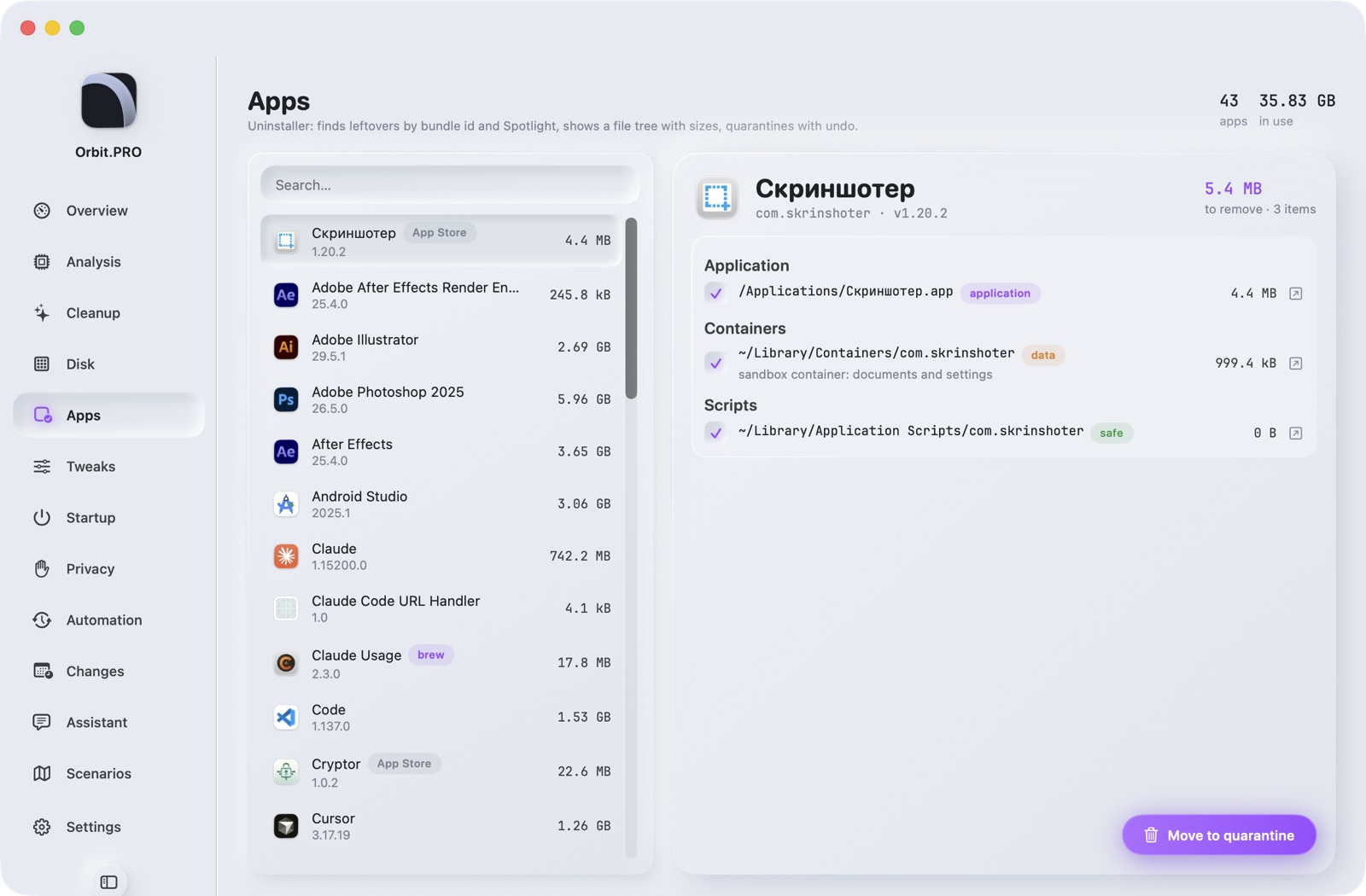
Uninstaller with leftovers

All apps with sizes, versions and App Store / Homebrew flags. For each — a tree of leftovers: Application Support, caches, preferences, containers, LaunchAgents, helpers, Spotlight finds. Removal goes to quarantine; brew casks — with --zap.

  • Search by bundle id, vendor and product
  • The agent notices removal to the Trash and offers to clean leftovers
  • Reversible for 7 days
Screenshot of section «Applications» — Orbit.PROScreenshot of section «Applications» — Orbit.PRO
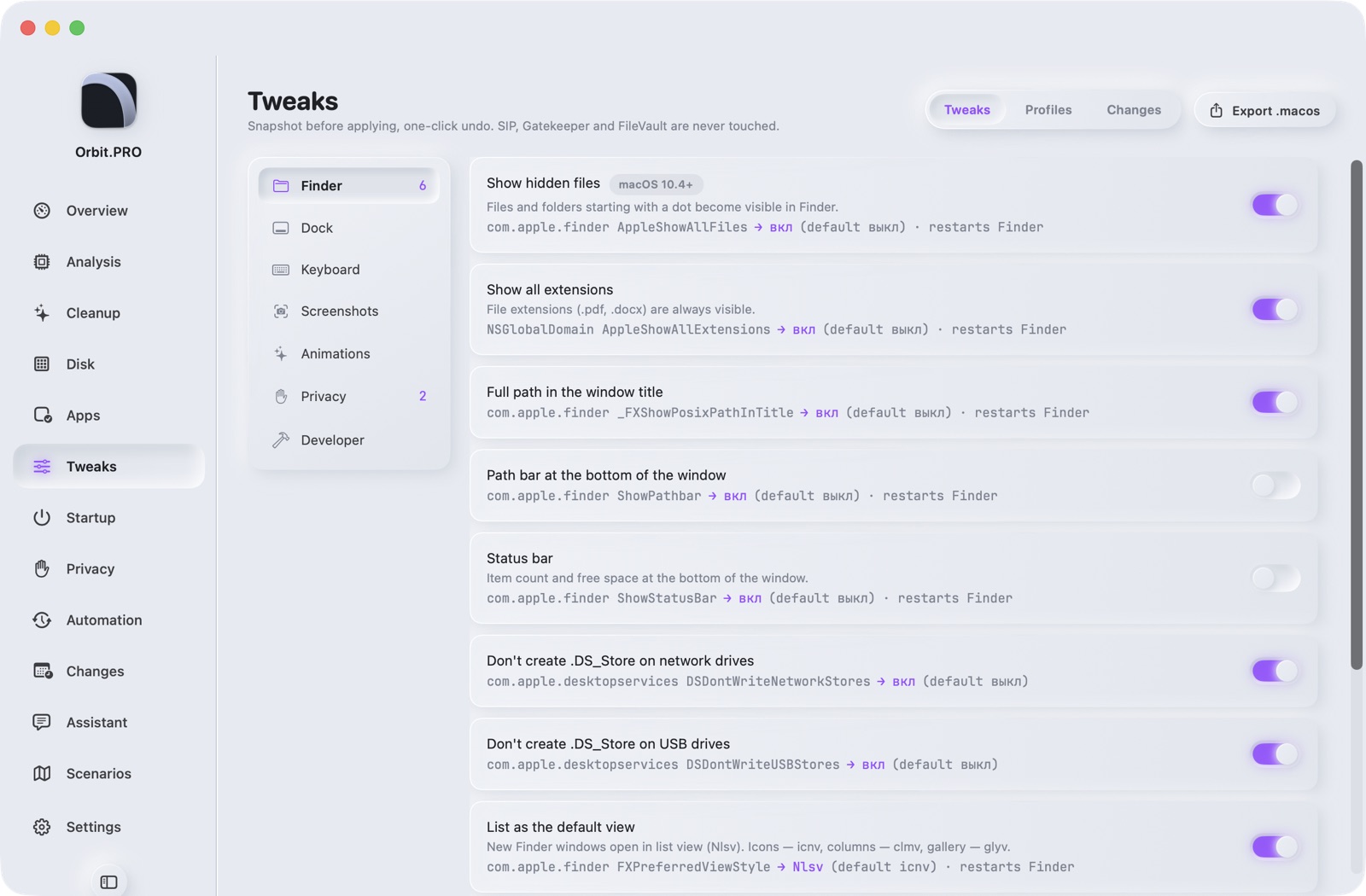
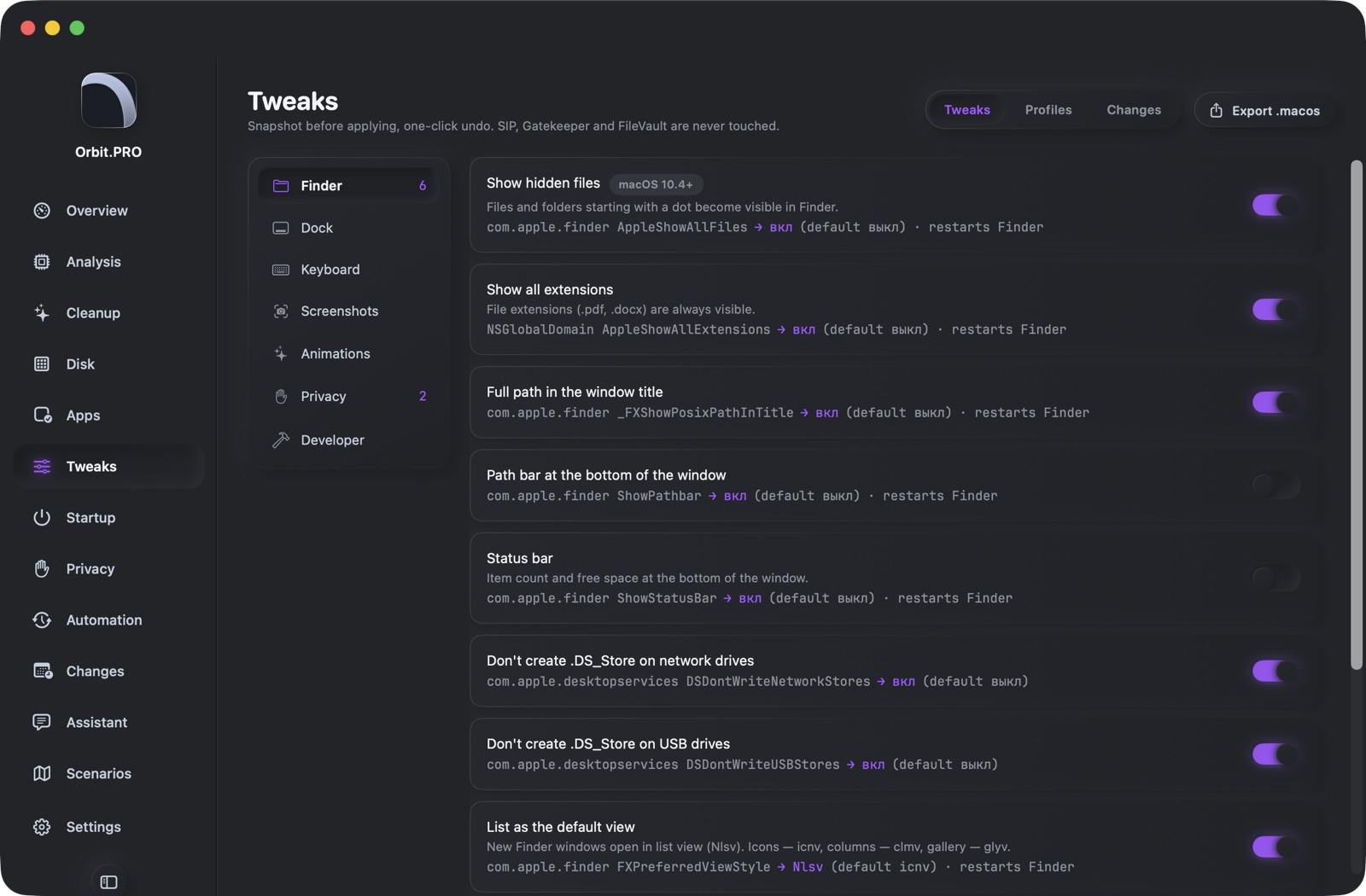
Tweaks

48 macOS settings with undo

Finder, Dock, keyboard, screenshots, animations, privacy, developer. A snapshot of the current value before every tweak; diff, undo one by one or by profile. Export to .macos for dotfiles.

  • Profiles: Minimal, Privacy, Developer
  • Shows the defaults domain and key — nothing hidden
  • Restarts Finder/Dock only when needed
Screenshot of section «Tweaks» — Orbit.PROScreenshot of section «Tweaks» — Orbit.PRO
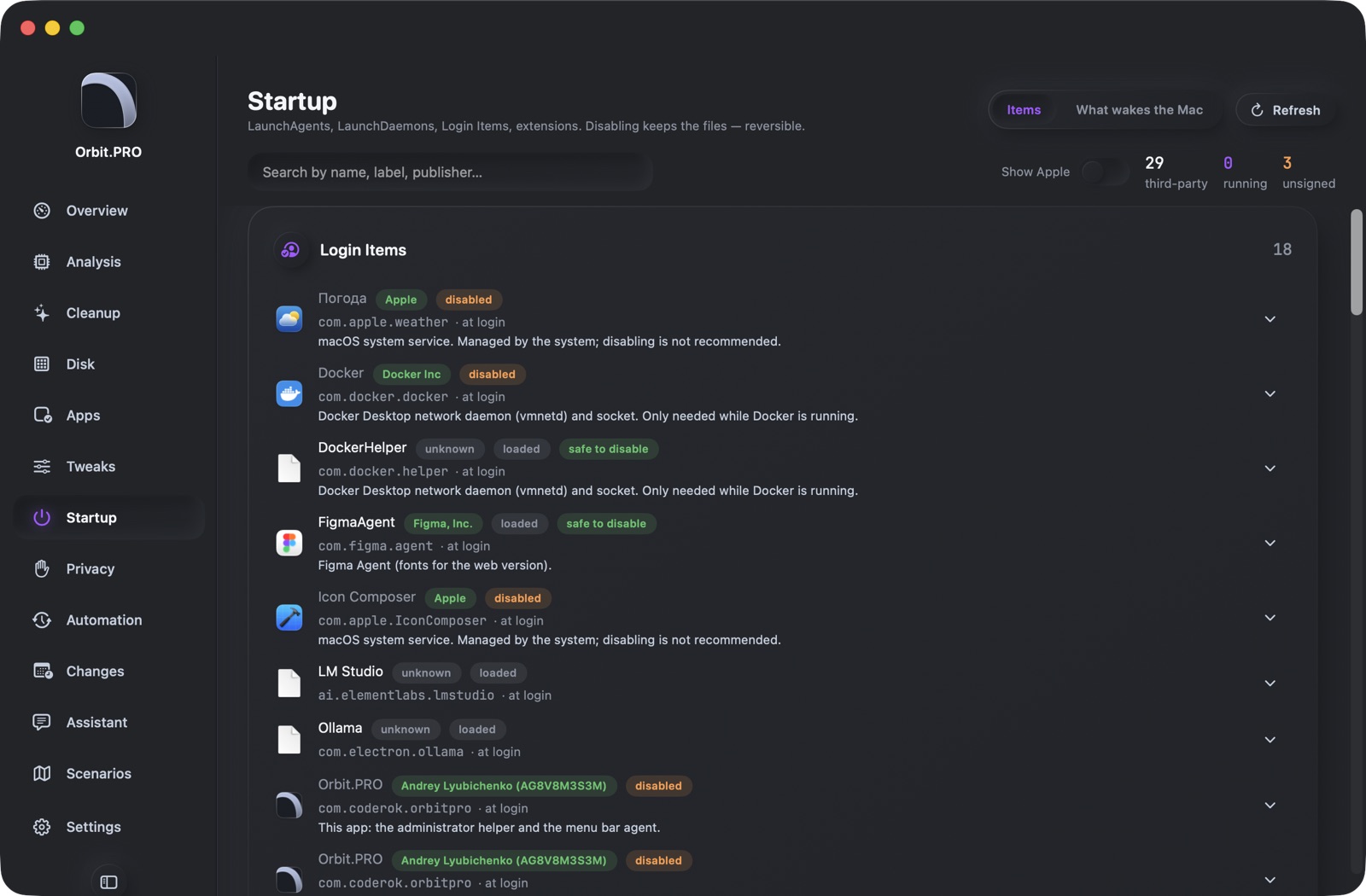
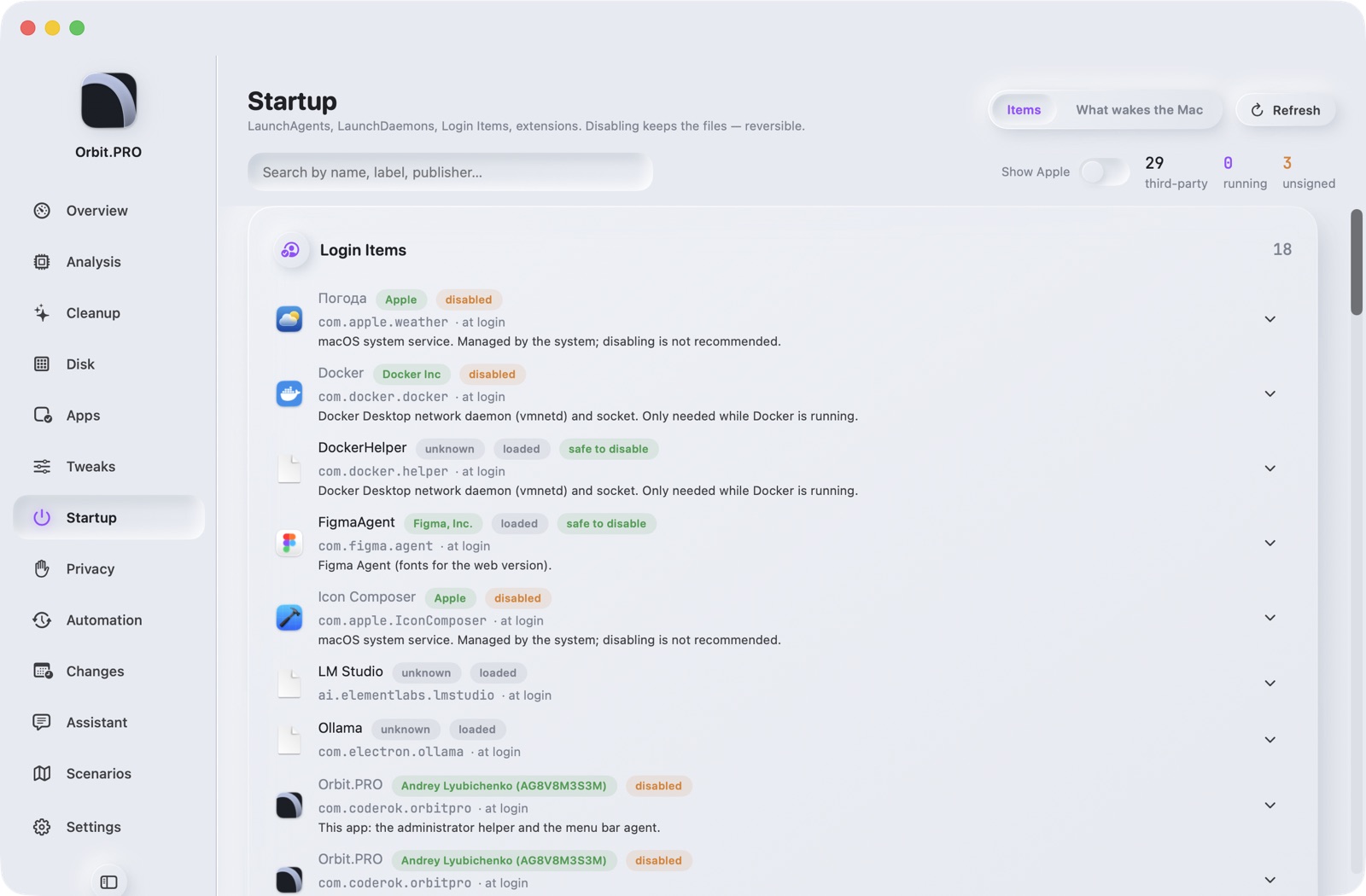
Startup

Who starts and who wakes the Mac

LaunchAgents, LaunchDaemons, login items, system extensions, kexts. Publisher by signature, a base of known agents with descriptions, CPU and energy of each. Disabling — without deleting, reversible.

  • “Safe to disable” hints from the agent base
  • “Who wakes the Mac” — wake reasons
  • Admin rights only via the built-in helper, no password prompts
Screenshot of section «Startup» — Orbit.PROScreenshot of section «Startup» — Orbit.PRO
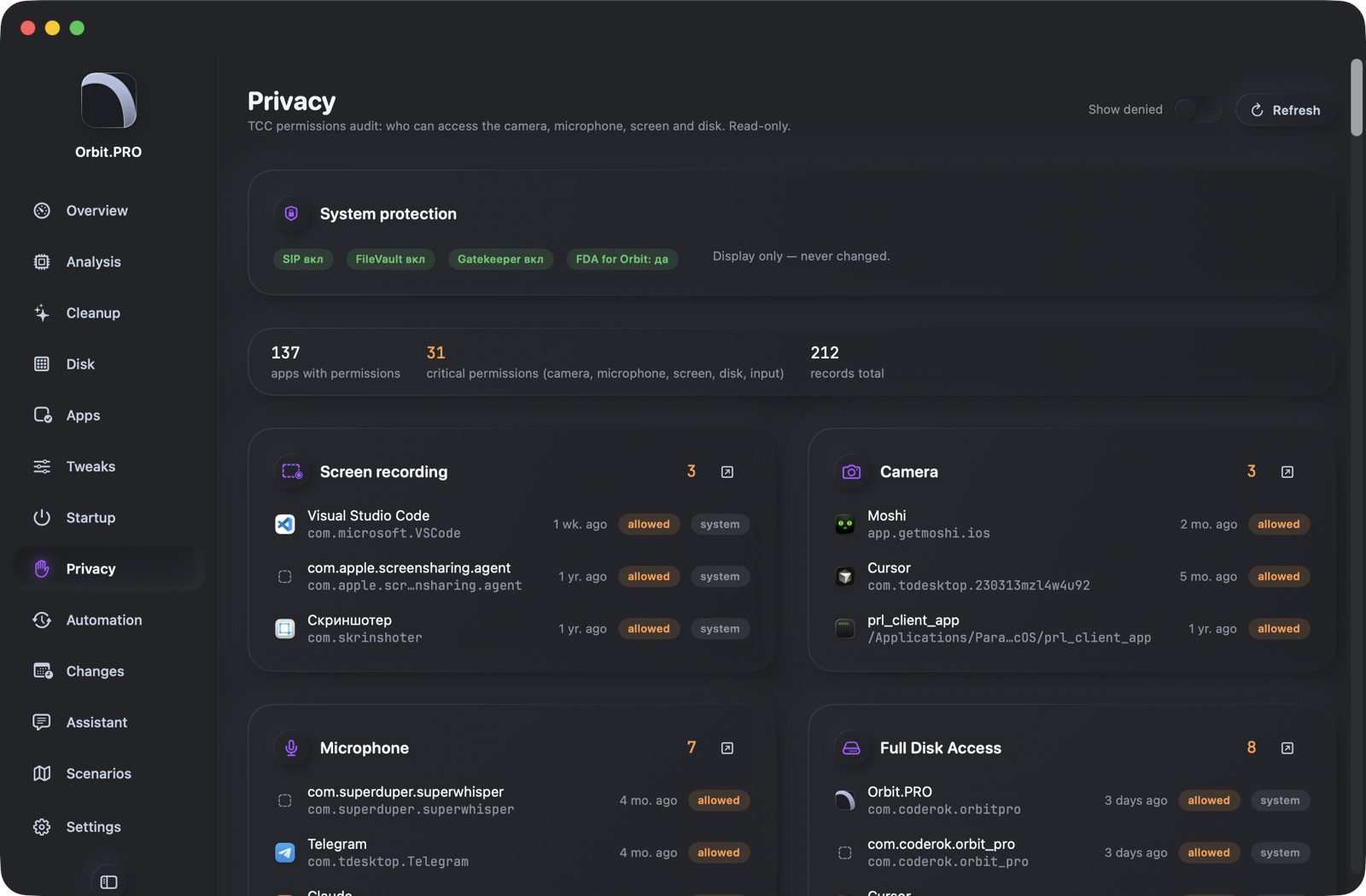
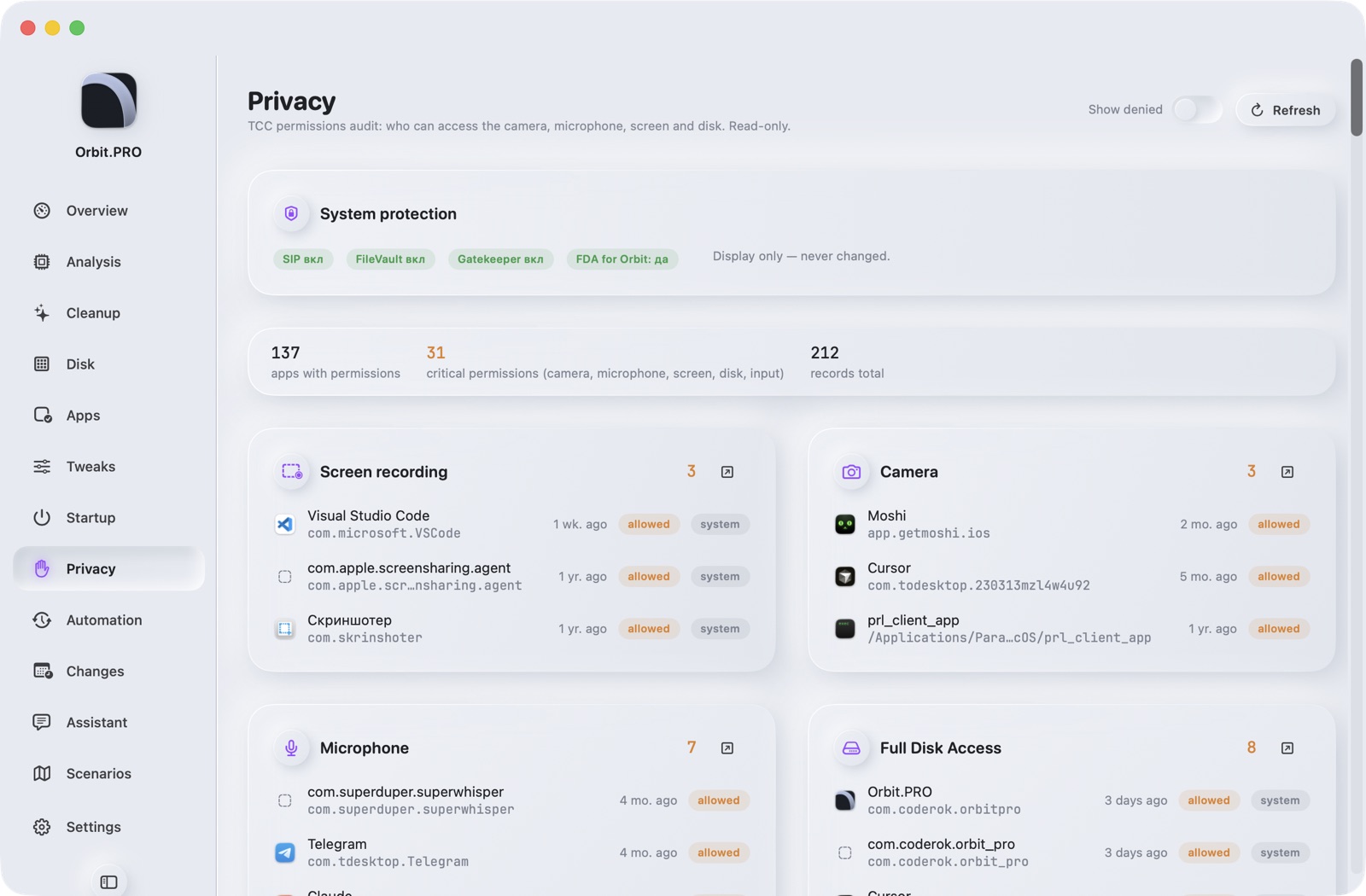
Privacy

TCC permission audit

Who has access to the camera, microphone, screen, full disk, input, automation. Read-only — nothing is changed, but you're taken to the right System Settings pane.

  • Critical permissions highlighted
  • “Privacy” tweak profile: no personalized ads or suggestions
  • New permissions appear in the Changes feed
Screenshot of section «Privacy» — Orbit.PROScreenshot of section «Privacy» — Orbit.PRO
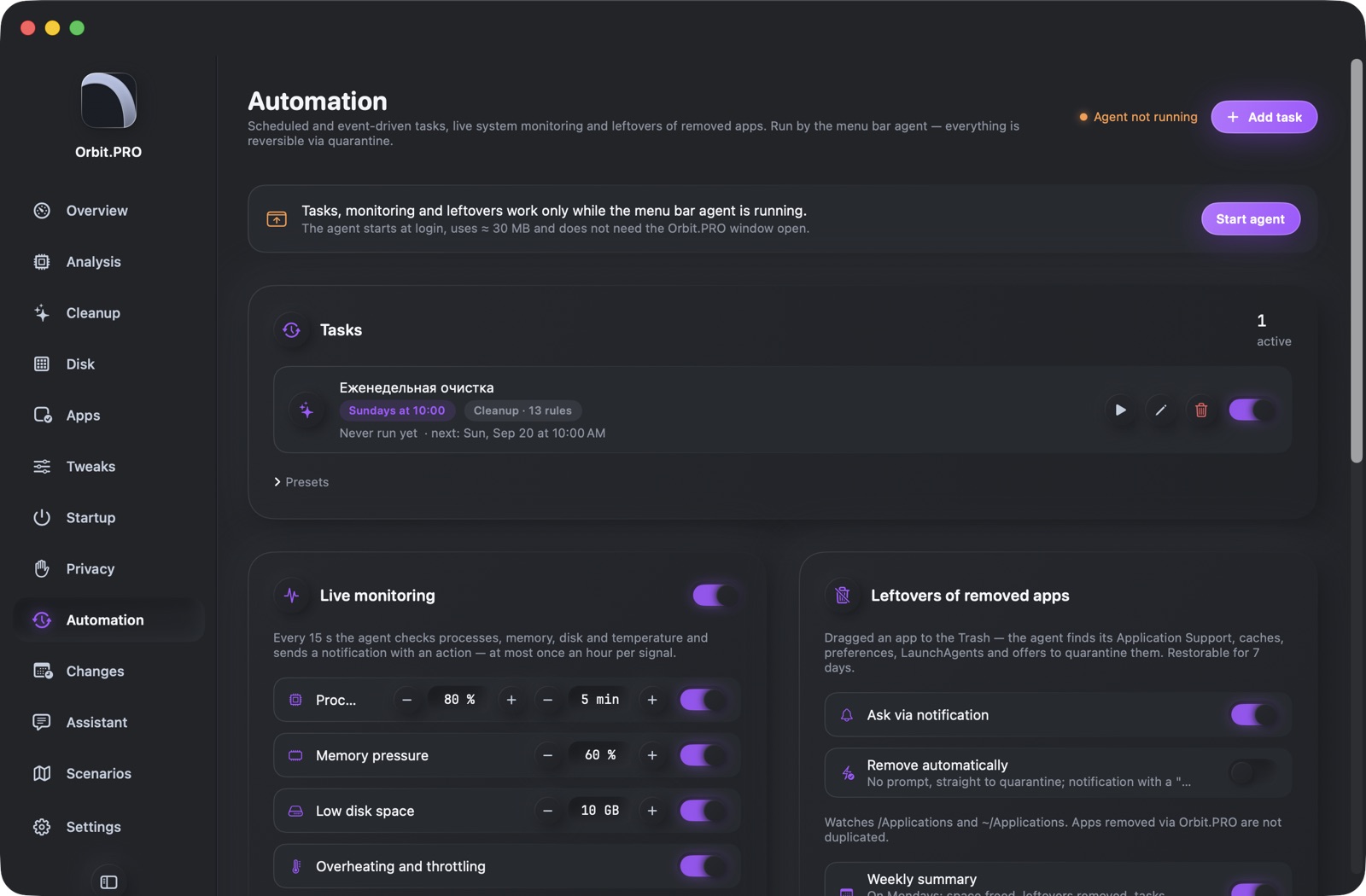
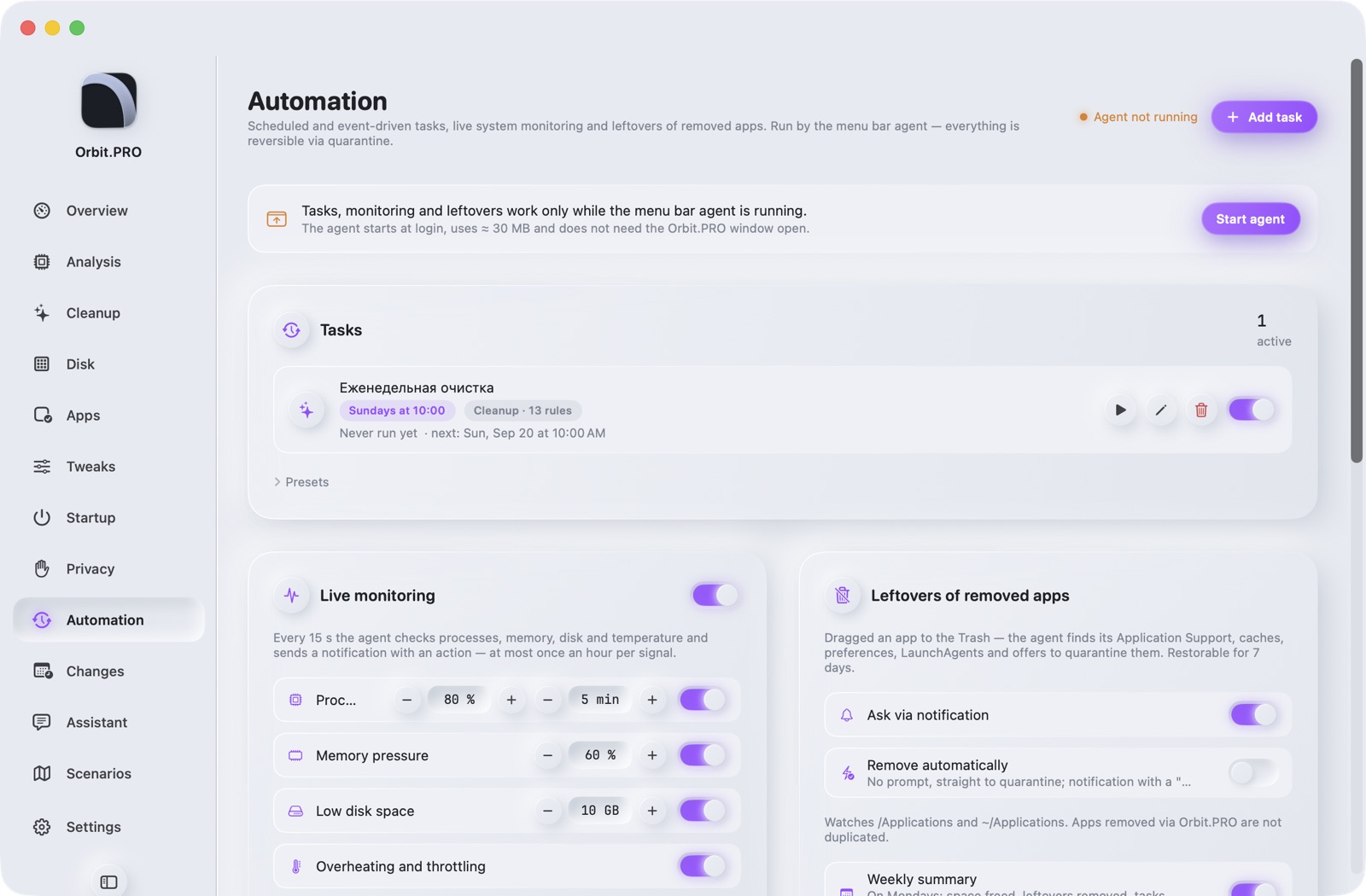
Automation

Tasks on schedule and on events

Cleanup, maintenance, quarantine, benchmark, snapshot — daily, weekly, every N hours, after login, when disk is low, when idle, when plugged in, after a macOS update. Live monitoring of CPU, memory, disk, temperature and network with notifications and actions.

  • Notifications with buttons: quit process, clean, remove leftovers, restore
  • Heavy tasks wait for mains power on battery
  • Weekly summary on Mondays
  • A log of every action
Screenshot of section «Automation» — Orbit.PROScreenshot of section «Automation» — Orbit.PRO
Changes

What changed today

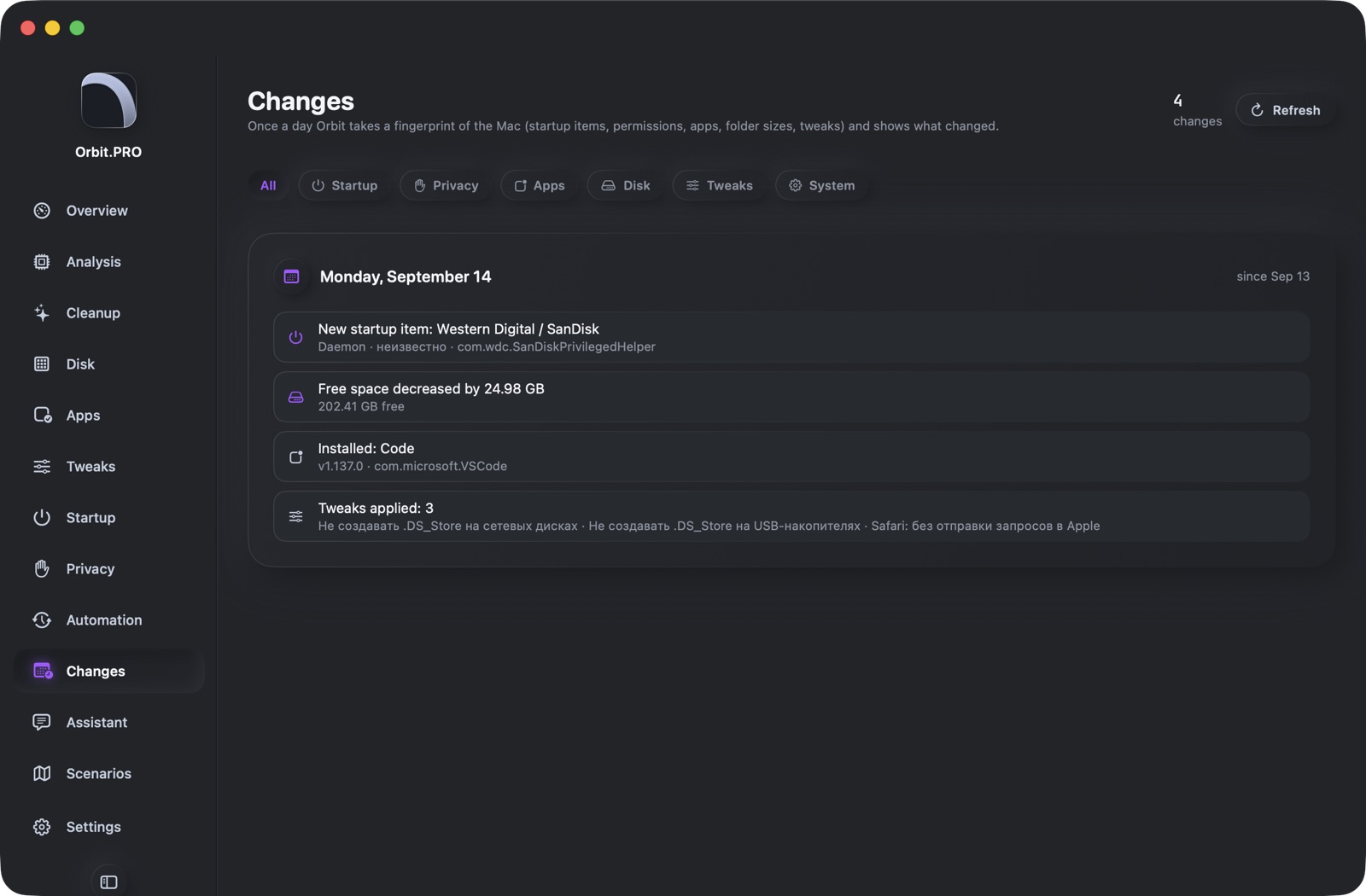
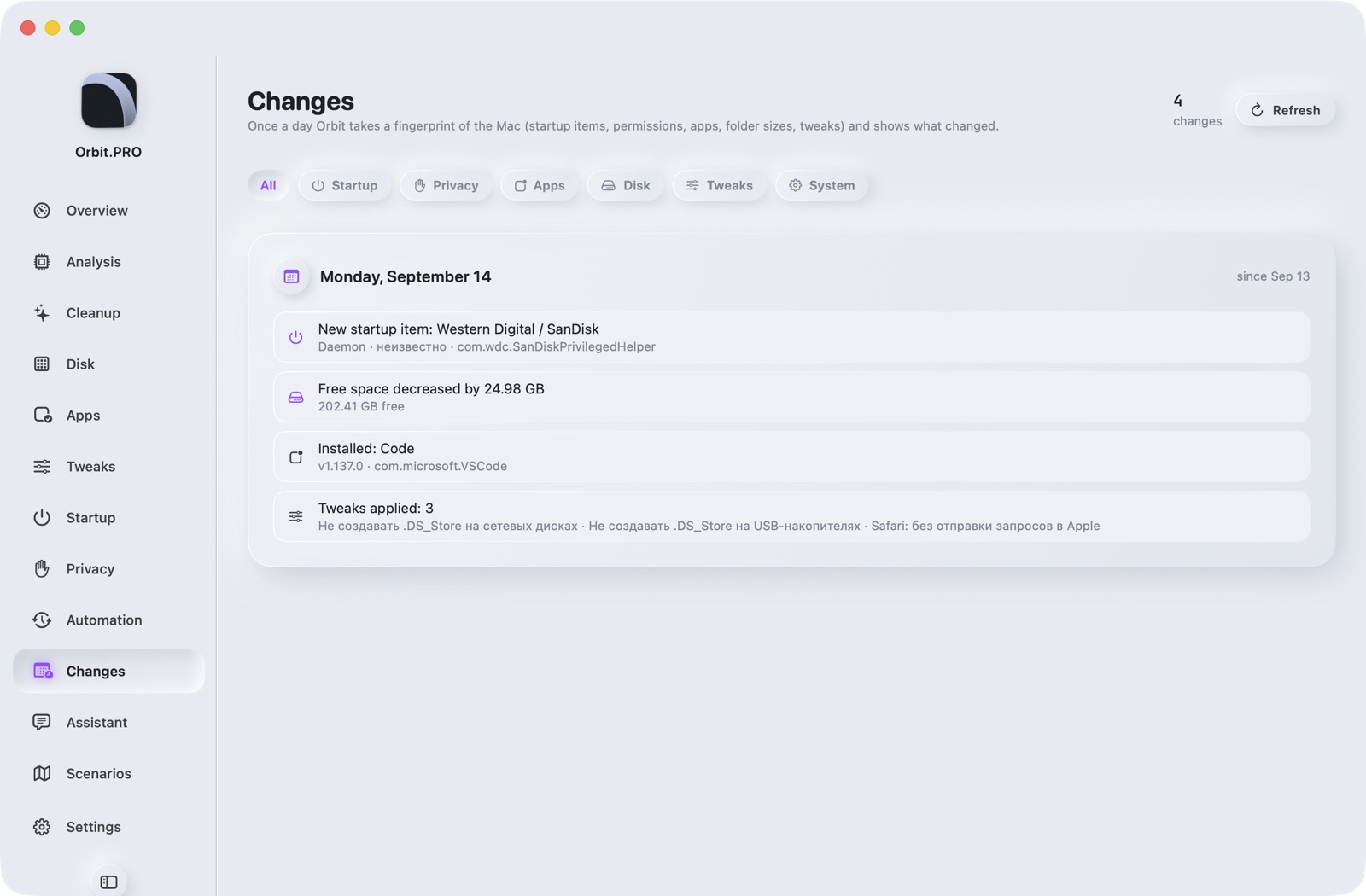
Once a day Orbit takes a fingerprint of the Mac: startup items, permissions, apps, folder sizes, tweaks, macOS version — and shows the difference. A new unsigned agent, a new camera permission, a folder that grew by 10 GB — all in one feed.

  • Filters by category
  • Important changes highlighted
  • Data goes into the report and to the assistant
Screenshot of section «Changes» — Orbit.PROScreenshot of section «Changes» — Orbit.PRO
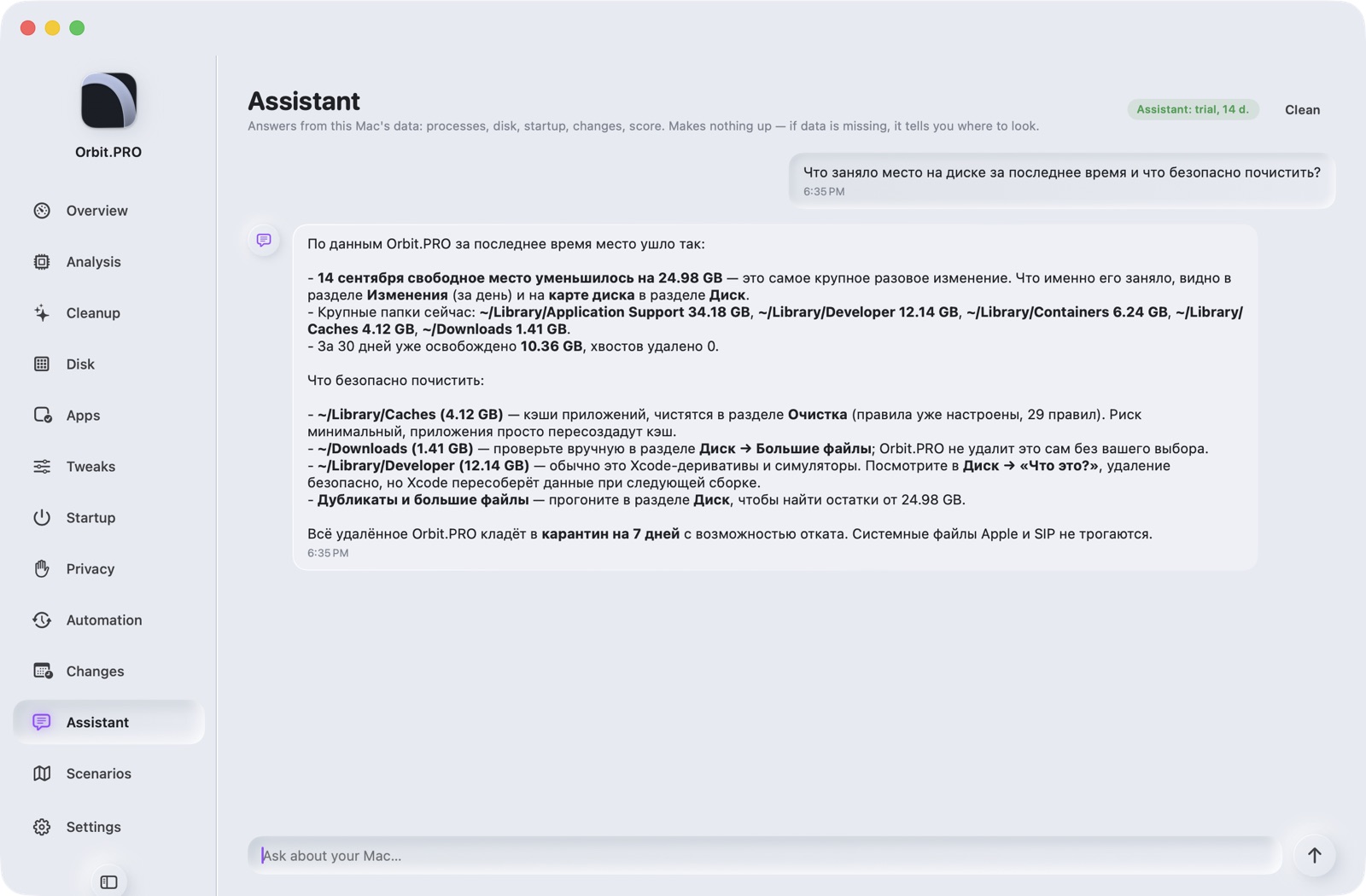
Assistant

Chat about your Mac's data

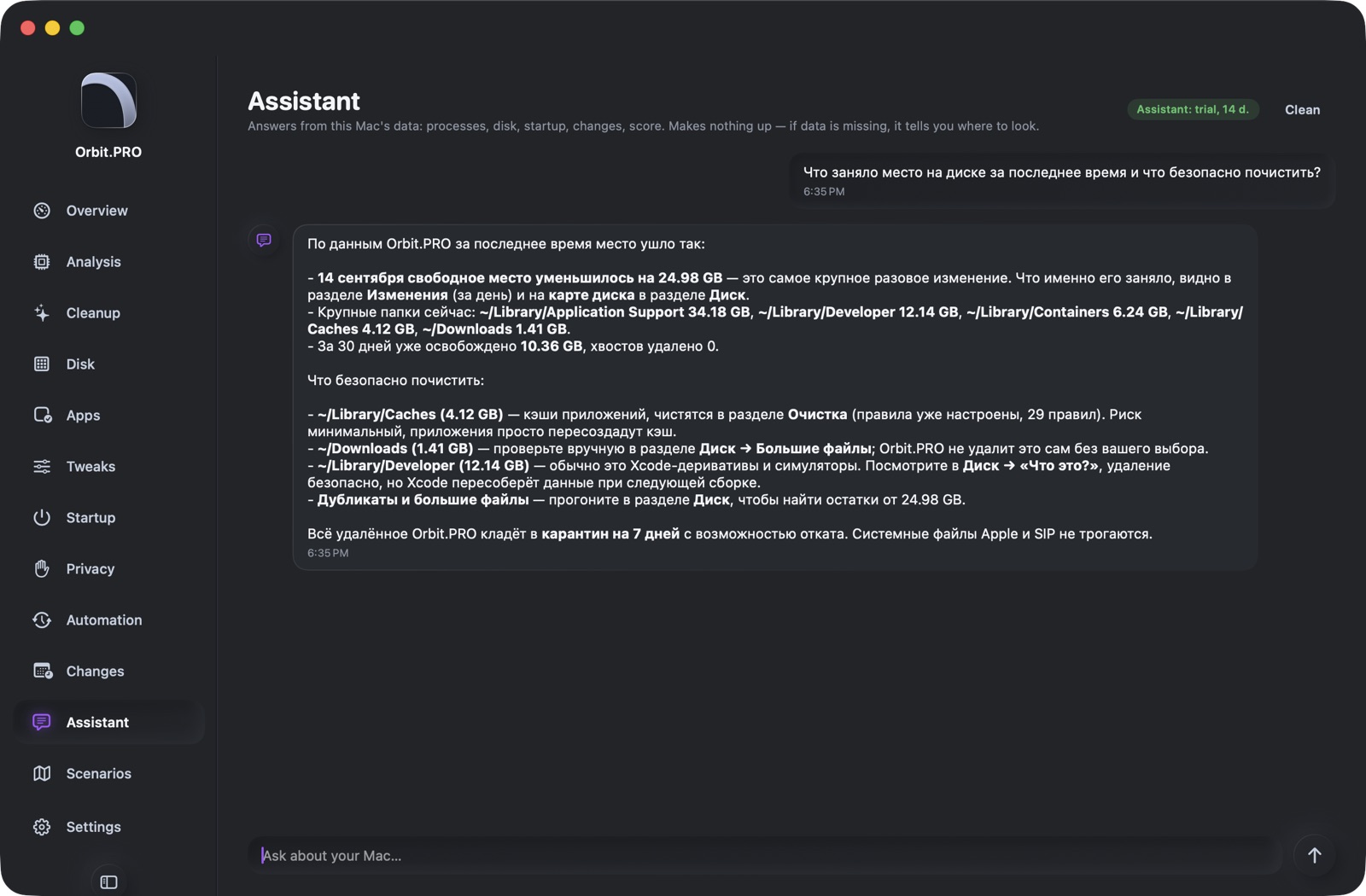
“Why is the fan noisy?”, “What ate the space?”, “What to disable at startup?” — the assistant sees the processes, disk, startup, changes and score of your specific Mac and answers from facts. If data is missing, it tells you where to look.

  • Makes nothing up: numbers only from collected data
  • Serial number and user name are masked
  • Built-in service, nothing to configure
Screenshot of section «Assistant» — Orbit.PROScreenshot of section «Assistant» — Orbit.PRO
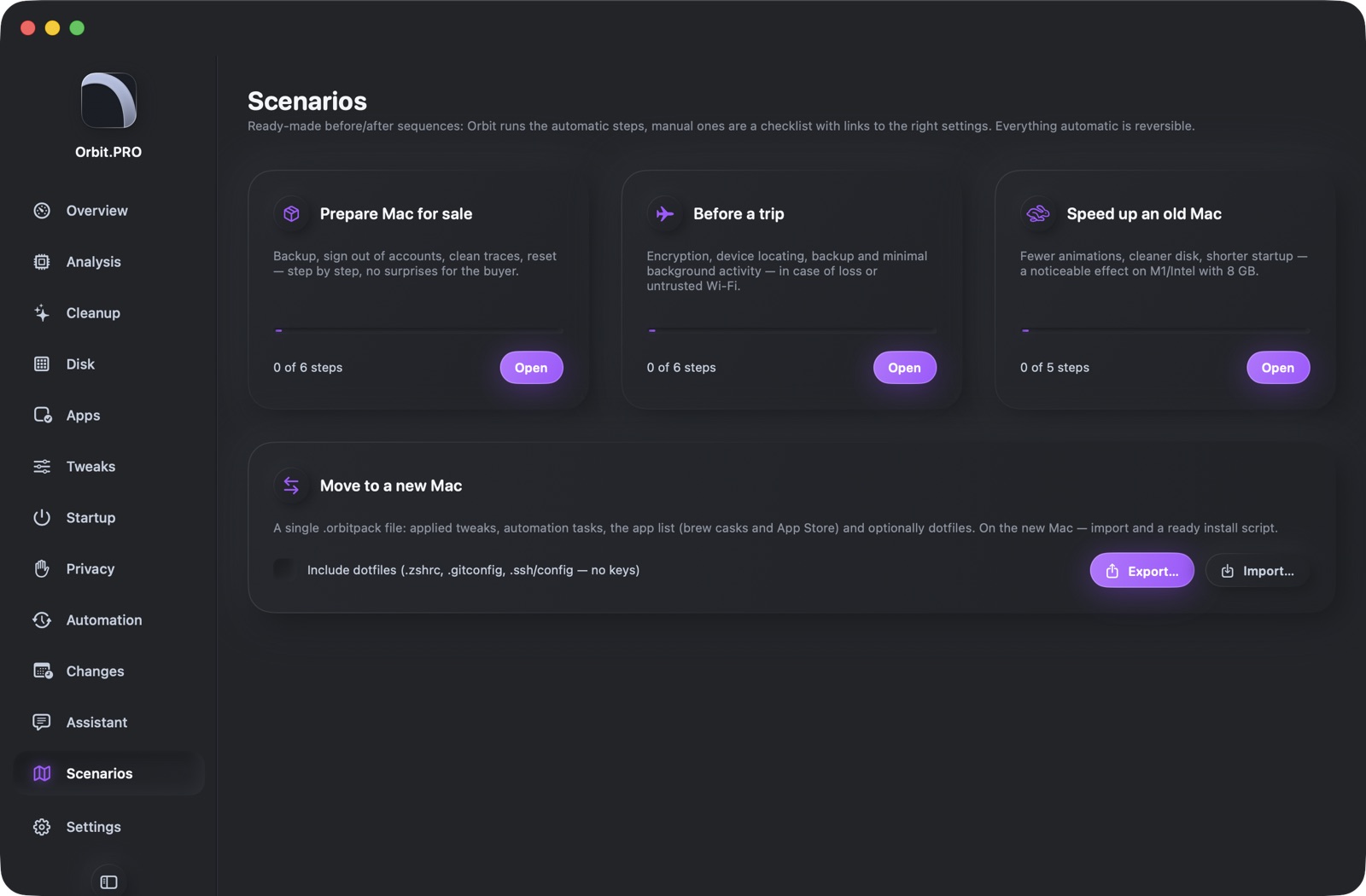
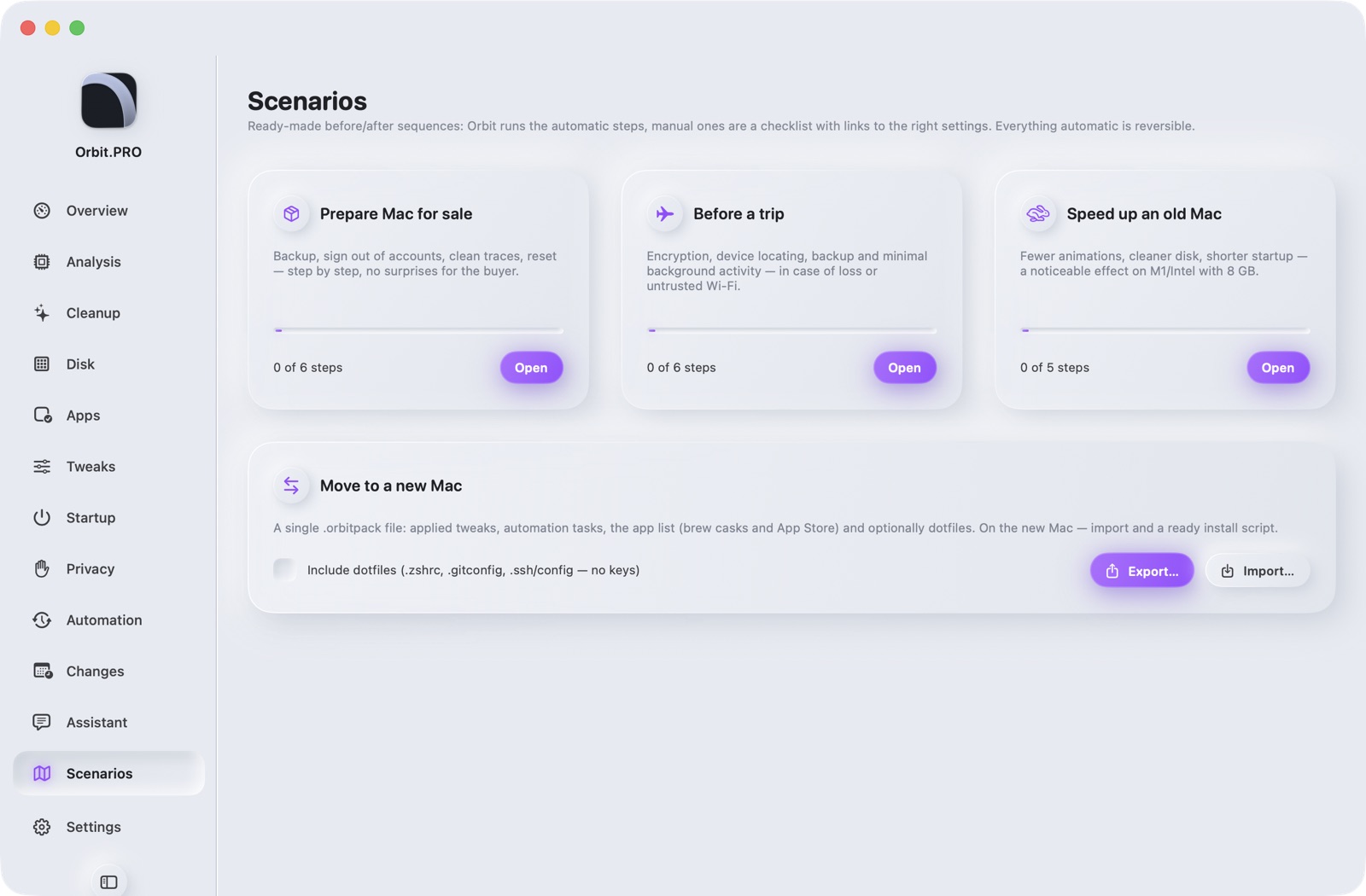
Scenarios

Sell the Mac, travel, speed up

Step-by-step scenarios: Orbit runs the automatic steps (cleanup, tweaks), manual ones are a checklist with links to the right settings. “Move to a new Mac” — one file with tweaks, automation, app list and dotfiles.

  • Prepare for sale: backup, sign out, traces, reset
  • Before a trip: FileVault, Find My, firewall
  • Speed up an old Mac: animations, disk, startup
  • One-click undo of automatic steps
Screenshot of section «Scenarios» — Orbit.PROScreenshot of section «Scenarios» — Orbit.PRO

Assistant and the full version

Everything except the assistant is free and unlimited. The assistant (verdict, “What is this?”, chat) is built in and needs no setup: it's open for the first 14 days, then an activation key — shared or personal, forever, no subscription. Data leaves only with a masked serial and without the user name.

  • 14 days of full access from the first launch
  • A key activates the assistant forever on this Mac
  • The key can be removed and moved to another Mac
  • Other features are never locked

Principles

Every action is reversible

Quarantine instead of rm, a snapshot before every tweak, history with an Undo button.

Open rules

YAML with paths, conditions and explanations — readable, editable, extendable.

The assistant only explains

All numbers are computed deterministically from open references; the model receives JSON with masked data.

No placebo

No “memory optimization”, no scanning radars. SIP, Gatekeeper and FileVault are left alone.

No password prompts from the app

Privileged operations only via the built-in helper with signature verification.

A light agent

Menu bar: CPU/RAM/thermal, tasks and monitoring ≈ 30 MB, no window needed.

FAQ

How is Orbit.PRO different from CleanMyMac and OnyX?

Reversibility and transparency: everything removed stays in quarantine for 7 days, every rule is open and explains itself, the relevance score and the assistant work on your Mac's data. No “memory optimization” and no red radars.

Is it safe? What don't you touch?

SIP, Gatekeeper, FileVault and Apple system files are never changed. Red rules require confirmation. Admin rights only via the built-in helper whose signature is verified, with no password prompts from the app.

Which Macs are supported?

macOS 14 Sonoma and newer, Apple Silicon (M1–M5). The app is Developer ID signed and notarized by Apple.

How much does it cost?

The app is free. The assistant is free for 14 days, then an activation key forever, no subscription. Keys are available from the developer.

Where does my data go?

Nowhere except assistant requests: JSON with specs and scores, serial masked, user name not sent. Update checks only hit the appcast at orbit-pro.ru. No telemetry.

How do I update?

The app checks for updates hourly and offers to install in its own window. Or Homebrew: brew upgrade --cask orbit-pro.

Can I restore what was removed?

Yes: Cleanup → History → Revert, or right from the notification. Quarantine is kept for 7 days; the period and full purge are configurable.

Do I need Full Disk Access?

Not required, but with it Safari and Mail caches, the TCC audit and protected ~/Library folders become available. The permissions wizard shows how to grant it.

Which interface languages are available?

Русский, English, Français, Deutsch, Italiano, Español, Português (BR), 日本語, 简体中文, 한국어. The language follows the device on first launch and switches instantly in Settings; the assistant answers in the interface language.

Download

Version 1.2.0 · DMG in the app's style: drag Orbit.PRO to Applications.

Requirements: macOS 14+, Apple Silicon. 14 MB. · Updates via appcast

brew install --cask coderok-ru/orbit-pro/orbit-pro
brew upgrade --cask orbit-pro